EasyManua.ls Logo

NORPOLE NPCIM500M - User Manual

NORPOLE NPCIM500M
31 pages
Print Icon
To Next Page IconTo Next Page
Loading...
NORPOLE
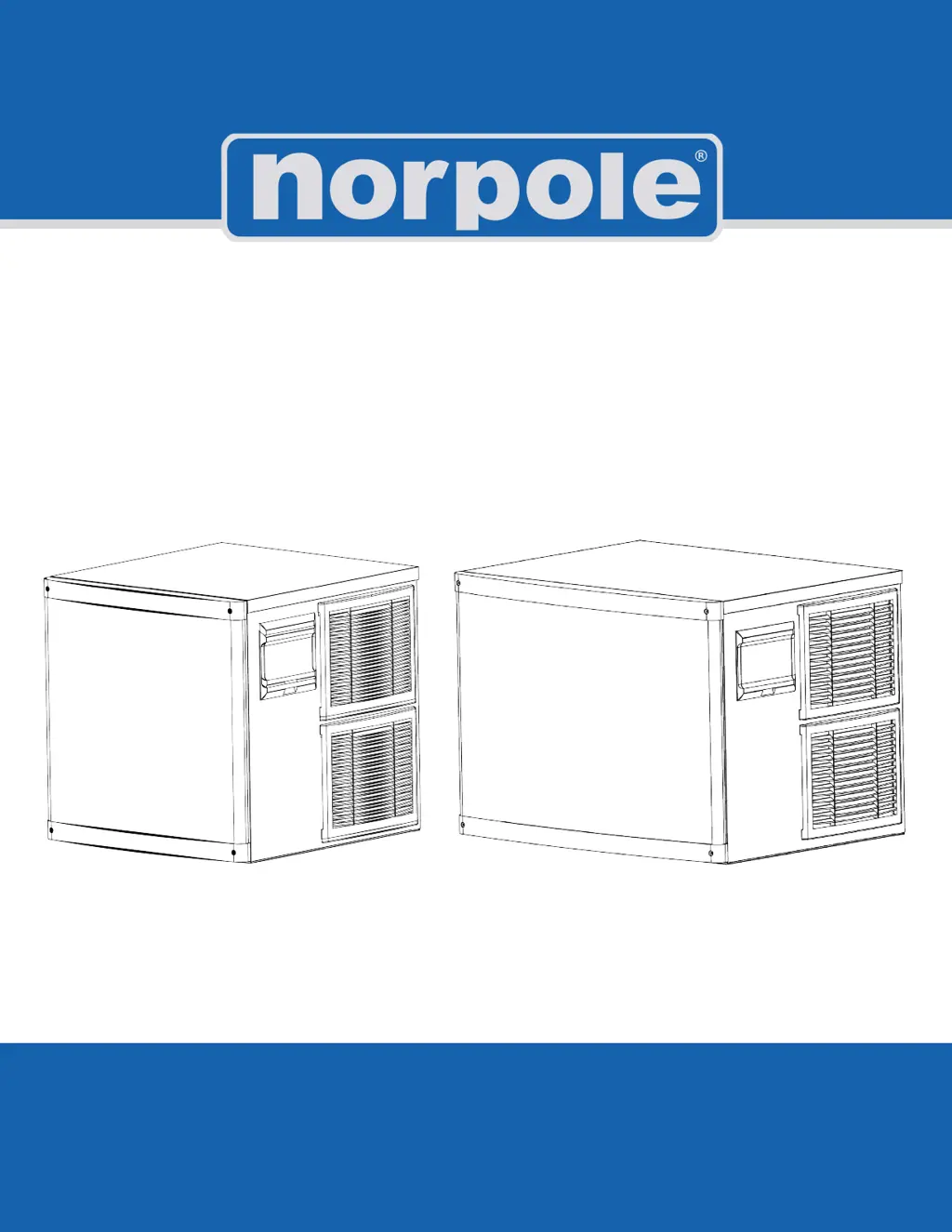
Commercial Modular Ice Maker
User’s Manual
READ THIS MANUAL CAREFULLY BEFORE USING YOUR COMMERCIAL ICE MAKER AND KEEP IT FOR
FUTURE REFERENCE.
Models: NPCIM350M NPCIM500M

Questions and Answers

  • W
    whitethomasAug 4, 2025
    What to do if my NORPOLE NPCIM500M Ice Maker shows 'E04' error?
    • J
      Janet CooperAug 4, 2025
      If the NORPOLE Ice Maker displays an 'E04' error code, it indicates a high temperature issue. Ensure the unit is in an environment with an ambient temperature between 41-104°F (5-40°C). Also, clean the condenser and ensure nothing is blocking airflow. Finally, check that the fan is running and is free from obstructions.
  • S
    Steven SheltonAug 9, 2025
    Why is my NORPOLE Ice Maker ice making process too slow?
    • M
      Marcus GrayAug 9, 2025
      If your NORPOLE Ice Maker is producing ice too slowly, several factors could be at play. First, clean or replace the condenser and air filter if they are dirty. Ensure the unit is in an environment with an ambient temperature between 41-104°F (5-40°C). Also, make sure there is adequate space around the unit for proper ventilation. Finally, verify that the water temperature is between 41-95°F (5-35°C).
  • J
    Jonathan WilsonAug 14, 2025
    What to do if the indicator is ‘Off’ on my NORPOLE NPCIM500M Ice Maker?
    • S
      Sandra ThomasAug 14, 2025
      If the indicator light on your NORPOLE Ice Maker is off, first ensure that the power switch is turned on. Next, verify that the plug is securely connected to a working outlet.
  • R
    Robert MatthewsAug 20, 2025
    Why is my NORPOLE Ice Maker not defrosting?
    • O
      osparksAug 20, 2025
      If the NORPOLE Ice Maker is not defrosting properly, make sure the unit is installed somewhere with an ambient temperature of 41-104°F (5-40°C). Check the defrost valve and correct any issues if found. Also, check the ice thickness setting.
  • M
    Michelle KellyAug 25, 2025
    What does 'E06' error mean on my NORPOLE Ice Maker?
    • B
      Brenda WellsAug 25, 2025
      If the NORPOLE Ice Maker displays an 'E06' high pressure error code, check and connect the wires on the high pressure switch.
  • N
    Nathan GarciaAug 30, 2025
    Why are the ice cubes from my NORPOLE Ice Maker too thin?
    • L
      Linda VillarrealAug 30, 2025
      If your NORPOLE Ice Maker is making ice cubes with poor transparency, or the ice cubes are too thin or incomplete, check the ice thickness setting. Verify that the water supply pressure is 1.3 Bar to 5.5 Bar. Ensure the water temperature is between 41-95°F (5-35°C). Check the water inlet valve and correct any issues. Check all water connections and tighten as needed. Replace the water inlet filter if it hasn't been replaced for a long time.

Summary

Product Registration

Registration Benefits

Outlines advantages of registering your product for safety notifications and warranty.

Important Information

Warning Labels and Symbols

Explains hazard symbols and warning labels found on the ice maker unit.

IMPORTANT SAFETY INSTRUCTIONS

General Safety Precautions

Lists numbered safety instructions and precautions for safe operation and maintenance.

Specific Hazards and Usage

Flammable Refrigerant (R290) Safety

Details dangers and precautions related to the use of flammable refrigerant R290.

General Ice Maker Usage

Describes typical applications and automatic operation of the ice machine.

Specifications

Model Specifications Table

Presents dimensions, ice making capacity, bin capacity, and weight for different models.

Installation

Installation Location Requirements

Details requirements for ambient temperature, water supply, and clearance.

Electrical Supply Guidelines

Ensures proper grounding, voltage, and connection of the power supply.

Installation Schematic

Diagrams illustrating water and drain connections for ice makers.

Installing the Ice Maker

Pre-installation Checks

Verifies unit condition, parts, cleaning, and leveling before installation.

Water and Drain Connections

Guides on connecting water supply, drain pipes, and filter installation.

Power Connection

Confirms power requirements and ensures the unit is connected to a grounded circuit.

Operation

Control Panel and Display Overview

Explains the functions of the LED display, indicators, and buttons.

Ice Cube Thickness Adjustment

How to adjust the thickness of ice cubes using control buttons.

Cleaning Function

Instructions for initiating and performing the cleaning and descaling process.

Error Code Interpretation

Guide to understanding error codes displayed on the unit.

Startup and Operation

Pre-startup Checks

Confirms all necessary checks before turning on the ice maker.

Normal Operation Confirmation

Ensures proper functioning of water flow, compressor, and air circulation.

Ice Making Process

Details the stages of ice making, from water filling to ice dropping.

Care and Maintenance

Exterior Cleaning

Instructions for cleaning the outside of the ice maker unit.

Interior Cleaning

Guidance on cleaning the ice bin and condenser for air-cooled models.

Inlet Water Filter Maintenance

Recommendations for inspecting and replacing the water filter.

Water Pipe Cleaning

Ensures food safety by regularly cleaning the water pipe.

Winterizing Procedures

Steps for storing the unit for long periods or during winter.

Clean Function

Cleaning and Sterilization Process

Step-by-step guide for cleaning, descaling, and sterilizing the ice maker.

Post-Cleaning Ice Disposal

Instruction to discard the first few batches of ice after cleaning.

Troubleshooting

Pre-Service Checks

Basic checks for water supply and power before requesting service.

Common Symptom Diagnosis

Table correlating symptoms with possible causes and corrective actions.

Display Error Codes

Error Code Reference

Lists error codes, their causes, and the resulting operating mode.

Limited Warranty

Warranty Coverage Details

Explains parts and labor coverage, compressor warranty, and exclusions.

Limitations and Exclusions

Details what is not covered by the warranty and consumer rights.

NORPOLE NPCIM500M Specifications

General IconGeneral
Daily Ice Production500 lbs
CondenserAir-cooled
Ice Storage Capacity250 lbs
MaterialStainless Steel
Ice Production50 kg/day
Water SupplyRequires connection to water supply

Related product manuals