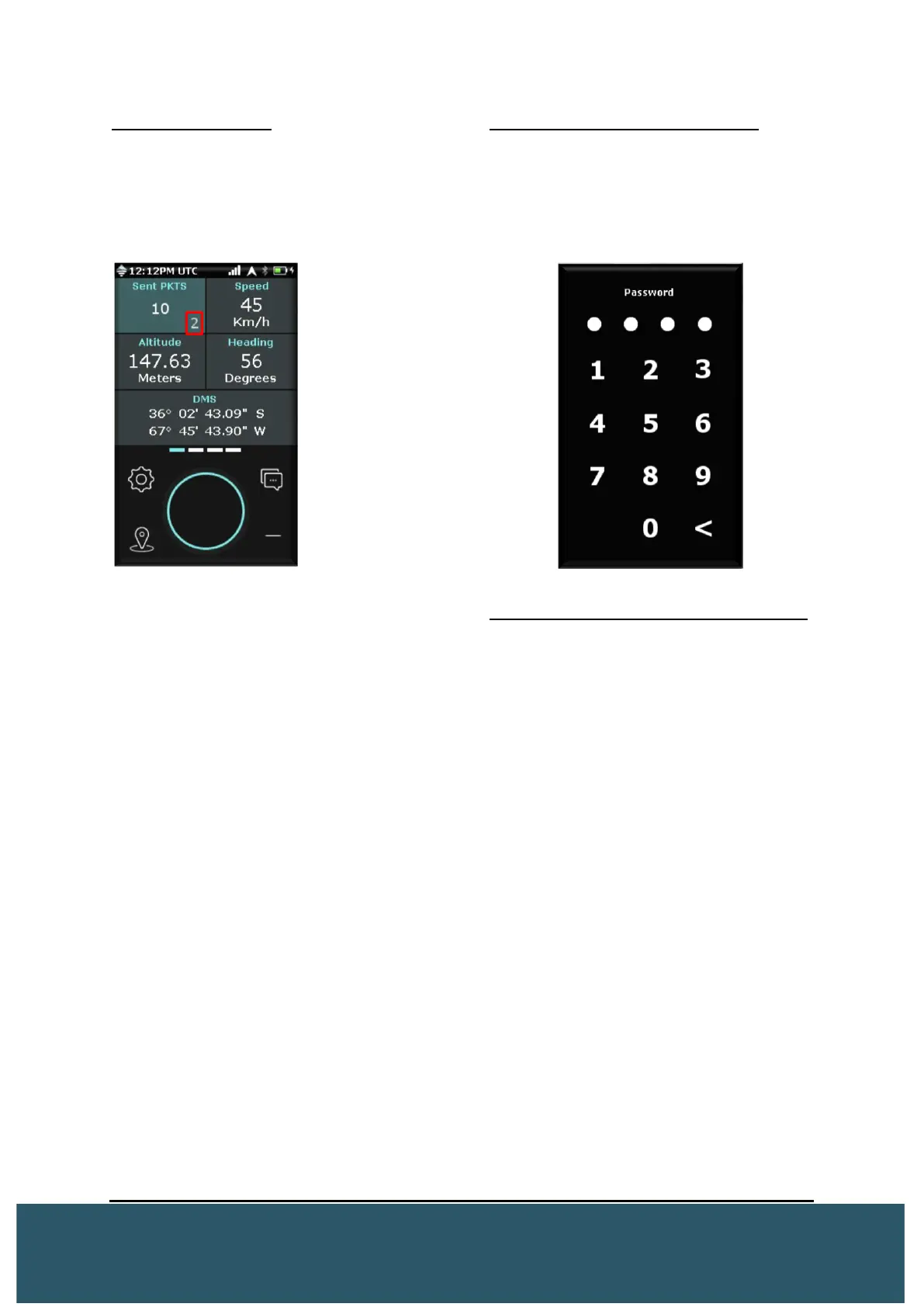
Combined Packets
In the Sent PKTS tile, the Wave will display
if combined packets have been sent. A ‘0’ in
the bottom right of this tile will change
accordingly if combined packets are sent.
Password on bootup/backlight
The Wave can be configured to prompt the
user for a 4 digit password on bootup or
when the backlight has turned off. This can
be configured via the device utility. Please
refer to the device utility manual for
instruction.
The above screenshot
means that an average
of 5 packets was sent in
2 combined messages.
On password screen: (Security Reasons)
• User cannot ”Reset to
manufacturer default” by holding
left and right key
• User can turn ON the emergency
by pressing the emergency
button
• User cannot turn OFF the
emergency
• “Reset to default” in the About
menu will not reset any
password setting. “Reset to
manufacturer default” will disable
password on boot/backlight, and
set password to 0000


 To Next Page