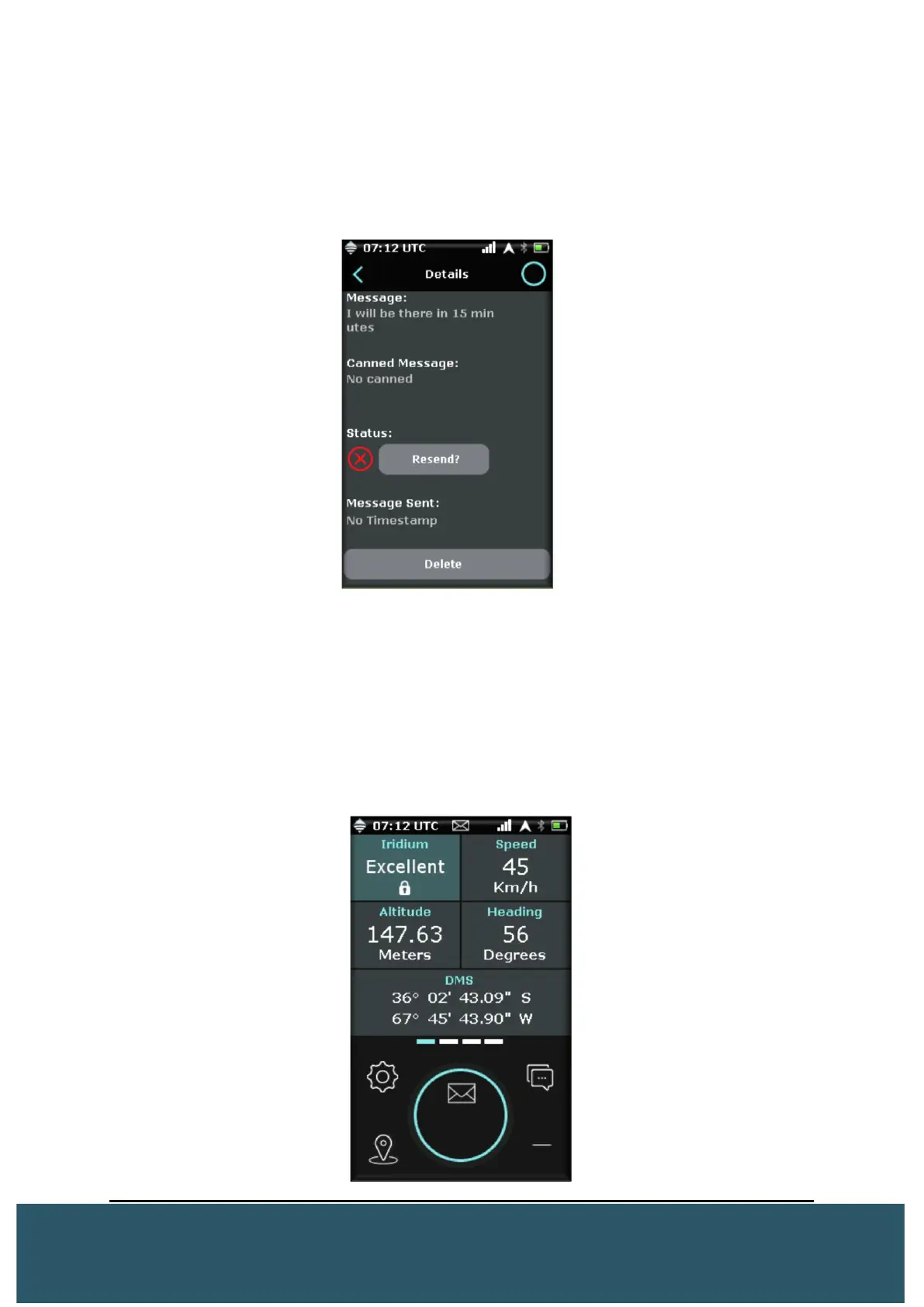
Resend Failed Message: Users can resend a failed message by pressing on the
message. This will bring up the “Message Details” screen with an option to resend under
“Status”
Users also have the option to delete messages from here. (Will only delete from the
Wave)
2.5.2 RECEIVE MESSAGE
When the WAVE receives a message, it will beep and vibrate 3x. (Vibration and Sound
can be turned off via Device Settings).
On the screen, an envelope symbol will flash in the circle notification centre. Users can
press here to bring up the messages screen.
Additionally, on message received, the green LED will flash 3x every 30 seconds until
read.


 To Next Page