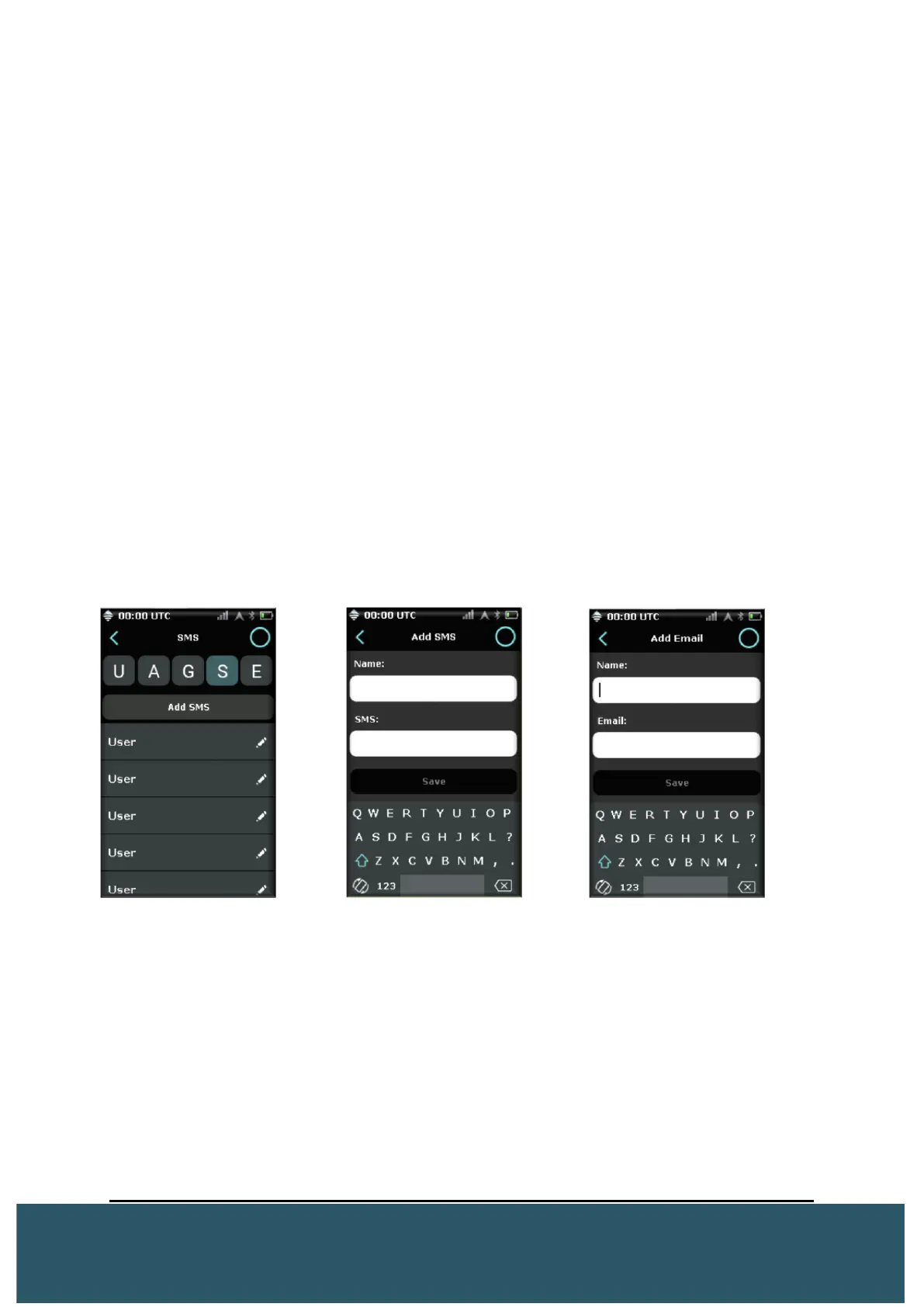
2.5.3 SEND SMS AND EMAIL
The Wave can be used to send messages to SMS and E-mail contacts. These contacts
can be created in the contacts menu.
In the contacts menu choose “S” for Add SMS, or “E” for Add Email.
1. For SMS: The SMS number, when written out, must not contain any spaces or
special characters. Ex;
Canada: 16139146172
UK: 447468995210
2. For E-mail: Enter a name for the contact and then the contacts E-mail address.
Press save.
Once saved, users can choose these contacts in addition to any other intended recipients
to send a message.
*Note – The Wave can support 10 SMS and 10 E-mails individually.
*Note – SMS and E-mail messages are only intended to be sent to contacts. The Wave
will not receive replies from these contacts.


 To Next Page