4-2 Installation
297–2011–208 02.01 Standard February 1999
Procedure 4-1
How to install the M522
Step
Action
1
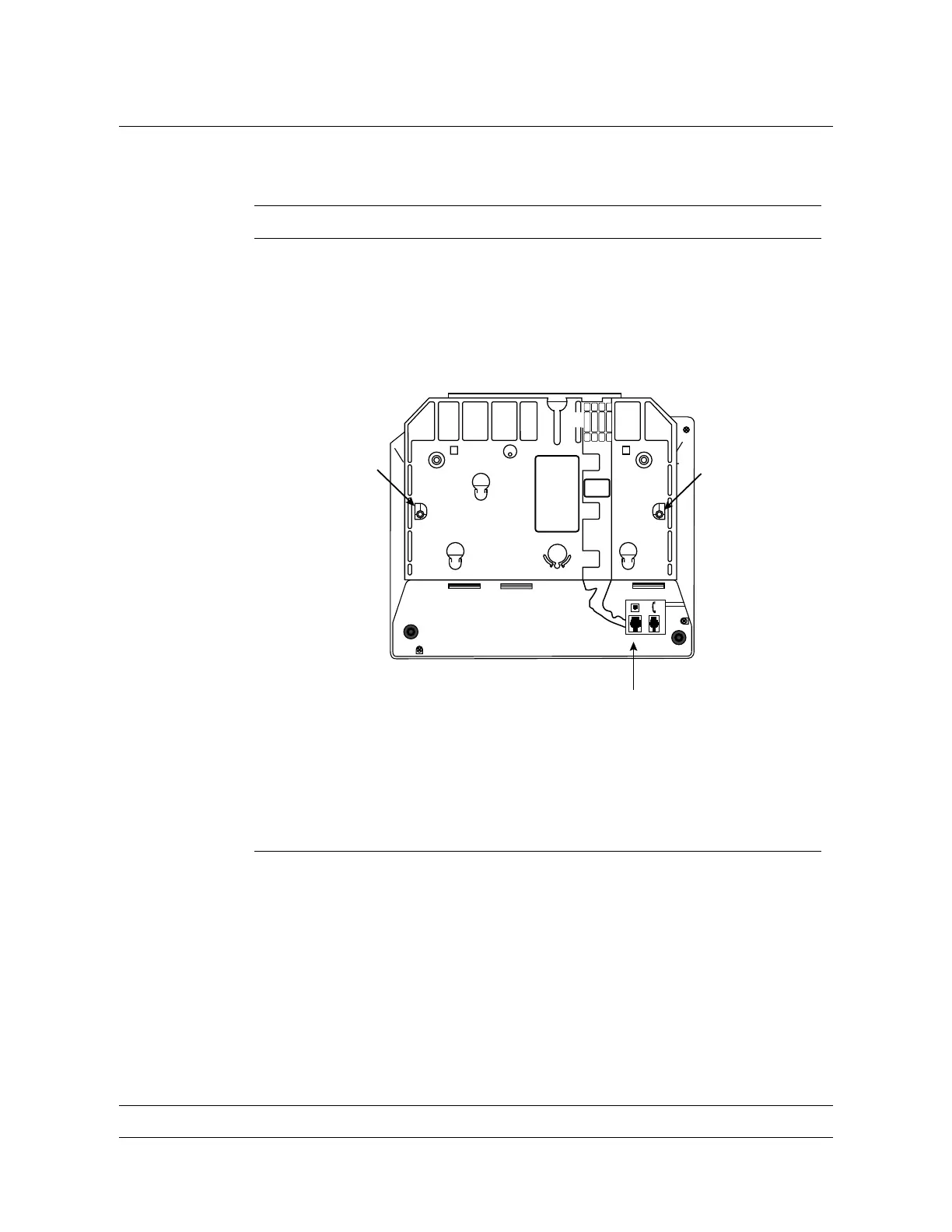
Turn the M5216/M5316 set upside down on a soft surface, as
shown in Figure 4-1. If the line cord is plugged into the line
receptacle (A), disconnect it from the telephone set and set it
aside.
Figure 4-1
M5216/M5316 bottom view
BB
A
2 Locate the two screws (B) in the wedge-shaped base. Remove the
screws from the base and set them aside.
3 Pull off the base from the telephone set.
—continued—


 To Next Page