Installation 4-3
297–2011–208 02.01 Standard February 1999
Procedure 4-1
How to install the M522 (continued)
Step
Action
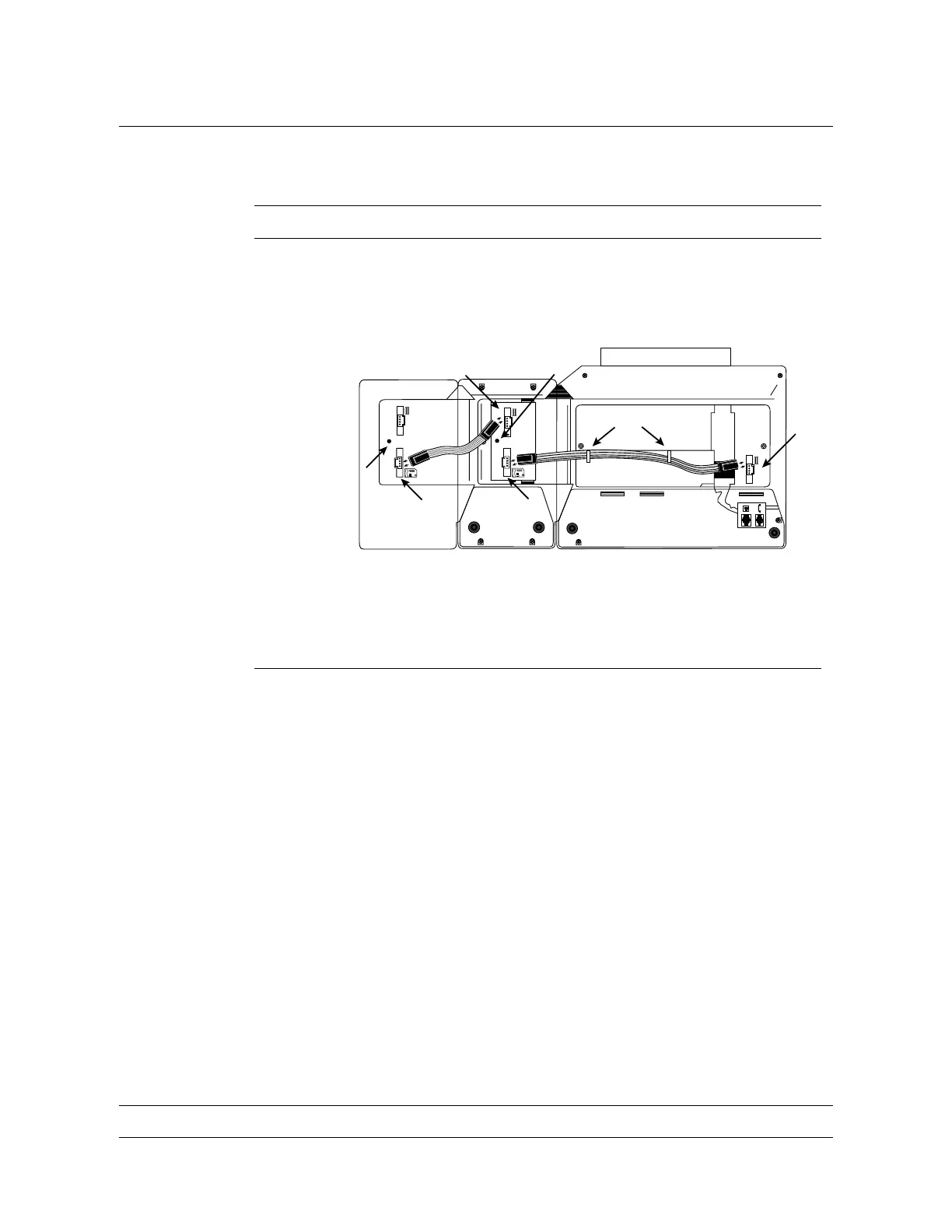
4 Place the M522 (1) upside down and to the left of the telephone
set as shown in Figure 4-2 . If you are installing a second M522
(2), place it to the left of the first M522 (1).
Figure 4-2
Connecting the ribbon cable(s)
C
D
E
M5216/M5316
M522(1)M522(2)
F
G
G
H
5 Remove the screw from the screw mount post on the M522(s) as
shown at location G in Figure 4-2. Set the screw aside.
—continued—


 To Next Page