Clear“0”
Press and hold C key for 3s
Total time Memory LAP
Enter LAP2Record LAP1Running
5s
2s
Stop
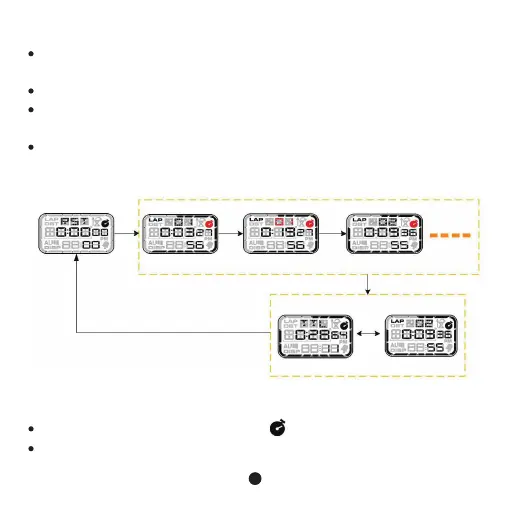
Stopwatch timing range 0~99hours59minutes59.99seconds,the timer will
automatically stop when it reaches its maximum。
LAP time LAP record 1~50 groups
In stopwatch mode, press D Key to start or stop stopwatch. In stopping state,
press C key for 2s to clear “0”.
When stopwatch is running, press C key to enter split time, press D key to stop,
press and hold C key for 2s to clear “0”.
8
C keyDkey
D key
4. Stopwatch mode
When stopwatch is running, there is icon flashing on the screen.
When stopwatch LAP storage more than 50 groups or stopwatch is full as below:



 To Next Page