7. Alarm mode
Set Up Alarm:
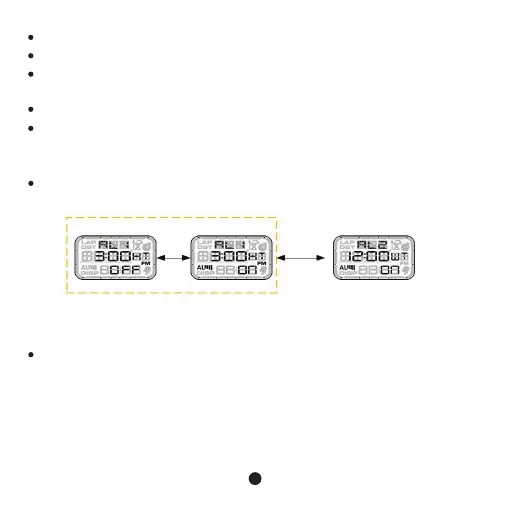
In alarm mode, press C key to switch to display alarm 1 or alarm 2, press D key
to turn on or off alarm as below:
In alarm 1 or alarm 2 mode, press and hold C Key for 3s to enter alarm setup
state, press B key to move setting item flash as below:
Press D Key to adjust value increase, press and hold D key to adjust quickly.
Press C Key to adjust value decrease, press and hold C Key to adjust quickly.
At last select countdown to “0” then turn to timing(UP), one time countdown(STP),
repeat countdown (RST)。
Press and hold A Key for 2s to confirm and return to countdown mode.
In set mode, if no any key operation in 60s, it will exit and return to countdown mode.
12
Turn off alarm Turn on alarm Alarm 1 or alarm 2
D
key C key



 To Next Page