EasyManua.ls Logo

North Star NSC40UD1 - User Manual

Default Icon
32 pages
Print Icon
To Next Page IconTo Next Page
Loading...
NORTH STAR WATER CONDITIONING, 1890 Woodlane Drive, Woodbury, MN 55125 Part No. 7332953 (Rev. F 5/14/13)
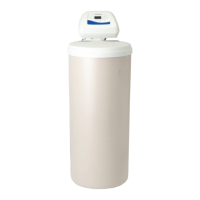
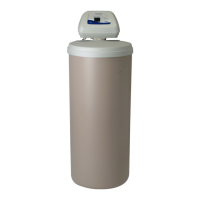
Ultra II COMPUTERIZED DEMAND
High Flow Valve
AUTOMATIC WATER CONDITIONER
MODELS
NSC30UD1, NSC40UD1, NST45UD1 & NST70UD1
Installation
Operation
Maintenance
Repair Parts
IF YOU HAVE QUESTIONS WHEN INSTALLING, OPERATING AND MAINTAINING YOUR
CONDITIONER, OR WHEN SETTING THE TIMER
CALLTOLLFREE: 1 -- 800 -- 972 -- 0135
IN CANADA CALL: 1 -- 800 -- 796 -- 6784
Designed, Engineered &
Assembled in the U.S.A.
Systems tested and certified by NSF International
against NSF/ANSI Standard 44
for hardness reduction and efficiency,
and certified to NSF/ANSI Standard 372
.
Systems tested and certified by the Water Quality
Association against CSA B483.1.
Question and Answer IconNeed help?

Do you have a question about the North Star NSC40UD1 and is the answer not in the manual?

Summary

WATER CONDITIONER WARRANTY

SAFETY GUIDES

Installation and Operation Safety

Emphasizes careful installation, checking codes, and avoiding freezing or hot water damage.

BEFORE STARTING INSTALLATION

Installation Location Requirements

Guides on selecting an appropriate location, considering proximity to drains, water source, and avoiding sun/freezing.

INSTALLATION STEPS

Install Bypass Valve and Adaptors

Guides on installing the bypass valve or plastic adaptors into the softener valve.

Position Softener and Connect Plumbing

Covers placing the unit and connecting inlet/outlet pipes, ensuring correct water flow direction.

INSTALLATION STEPS CONTINUED

Connect and Route Drain Hose

Details on connecting the valve drain hose, ensuring proper air gap and routing.

Flush System and Test for Leaks

Procedures for flushing air from the system and checking for water leaks after installation.

Add Salt and Connect Power

Guides on filling the brine tank with salt and connecting the unit to electrical power.

PROGRAMMING THE Ultra II DEMAND TIMER

Set Present Time of Day

Step-by-step guide to setting the current time on the demand timer display.

PROGRAMMING THE Ultra II DEMAND TIMER CONTINUED

Set Water Hardness Number

Instructions for inputting the water hardness level into the timer.

SANITIZING PROCEDURES

WATER AND WATER CONDITIONING

WATER AND WATER CONDITIONING CONTINUED

How the Water Softener Works

Explains the ion-exchange process during service and the stages of regeneration.

GENERAL WATER SOFTENER MAINTENANCE

Salt Level Management and Adding Salt

Guidance on checking salt levels, adding salt, and choosing the right type.

GENERAL WATER SOFTENER MAINTENANCE CONTINUED

Cleaning Nozzle and Venturi Assembly

Steps to clean the nozzle and venturi to ensure proper brine draw.

Service Checklist

A guide to troubleshooting common issues like no soft water or intermittent hardness.

Ultra II DEMAND TIMER FEATURES, SETTINGS, AND SERVICE

Automatic Electronic Diagnostics

Self-diagnostic function monitors components and displays error codes for malfunctions.

Electronic System Profile (ESP)

Transmits performance data to a remote computer for detailed analysis and reporting.

How to Send an ESP Transmission

Provides instructions for initiating an ESP data transmission to technical support.

Service Checkout Procedure (No Soft Water)

Step-by-step guide for troubleshooting lack of soft water and error codes.

Manual Initiated Electronics Diagnostic

Allows manual entry into diagnostic mode to check system operation.

Manual Advance Regeneration Check

Verifies valve motor, brine draw, and regeneration flow rates by advancing cycles.

REPAIR PARTS

Summary

WATER CONDITIONER WARRANTY

SAFETY GUIDES

Installation and Operation Safety

Emphasizes careful installation, checking codes, and avoiding freezing or hot water damage.

BEFORE STARTING INSTALLATION

Installation Location Requirements

Guides on selecting an appropriate location, considering proximity to drains, water source, and avoiding sun/freezing.

INSTALLATION STEPS

Install Bypass Valve and Adaptors

Guides on installing the bypass valve or plastic adaptors into the softener valve.

Position Softener and Connect Plumbing

Covers placing the unit and connecting inlet/outlet pipes, ensuring correct water flow direction.

INSTALLATION STEPS CONTINUED

Connect and Route Drain Hose

Details on connecting the valve drain hose, ensuring proper air gap and routing.

Flush System and Test for Leaks

Procedures for flushing air from the system and checking for water leaks after installation.

Add Salt and Connect Power

Guides on filling the brine tank with salt and connecting the unit to electrical power.

PROGRAMMING THE Ultra II DEMAND TIMER

Set Present Time of Day

Step-by-step guide to setting the current time on the demand timer display.

PROGRAMMING THE Ultra II DEMAND TIMER CONTINUED

Set Water Hardness Number

Instructions for inputting the water hardness level into the timer.

SANITIZING PROCEDURES

WATER AND WATER CONDITIONING

WATER AND WATER CONDITIONING CONTINUED

How the Water Softener Works

Explains the ion-exchange process during service and the stages of regeneration.

GENERAL WATER SOFTENER MAINTENANCE

Salt Level Management and Adding Salt

Guidance on checking salt levels, adding salt, and choosing the right type.

GENERAL WATER SOFTENER MAINTENANCE CONTINUED

Cleaning Nozzle and Venturi Assembly

Steps to clean the nozzle and venturi to ensure proper brine draw.

Service Checklist

A guide to troubleshooting common issues like no soft water or intermittent hardness.

Ultra II DEMAND TIMER FEATURES, SETTINGS, AND SERVICE

Automatic Electronic Diagnostics

Self-diagnostic function monitors components and displays error codes for malfunctions.

Electronic System Profile (ESP)

Transmits performance data to a remote computer for detailed analysis and reporting.

How to Send an ESP Transmission

Provides instructions for initiating an ESP data transmission to technical support.

Service Checkout Procedure (No Soft Water)

Step-by-step guide for troubleshooting lack of soft water and error codes.

Manual Initiated Electronics Diagnostic

Allows manual entry into diagnostic mode to check system operation.

Manual Advance Regeneration Check

Verifies valve motor, brine draw, and regeneration flow rates by advancing cycles.

REPAIR PARTS

North Star NSC40UD1 Specifications

General IconGeneral
BrandNorth Star
ModelNSC40UD1
CategoryWater Dispenser
LanguageEnglish

Related product manuals