42
Deleting Stored Test Results
You can delete all stored test and QC results. Proceed as
follows to delete all results:
1. Press the Mode button once to display the number
of stored test results.
2. Press the Right and Left arrow button simultaneously
for longer than 3 seconds.
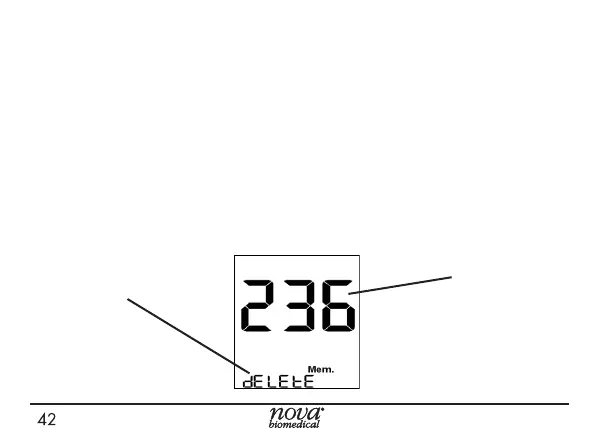
3. The screen displays the number of samples in memory
with delete ashing at the bottom of the screen.
Number of
Samples in
Memory
Delete



 To Next Page