EasyManua.ls Logo

Novamatic TK 660 E - Use; The Control Panel

Novamatic TK 660 E
Print Icon
To Next Page IconTo Next Page
To Previous Page IconTo Previous Page
Loading...
28
Use
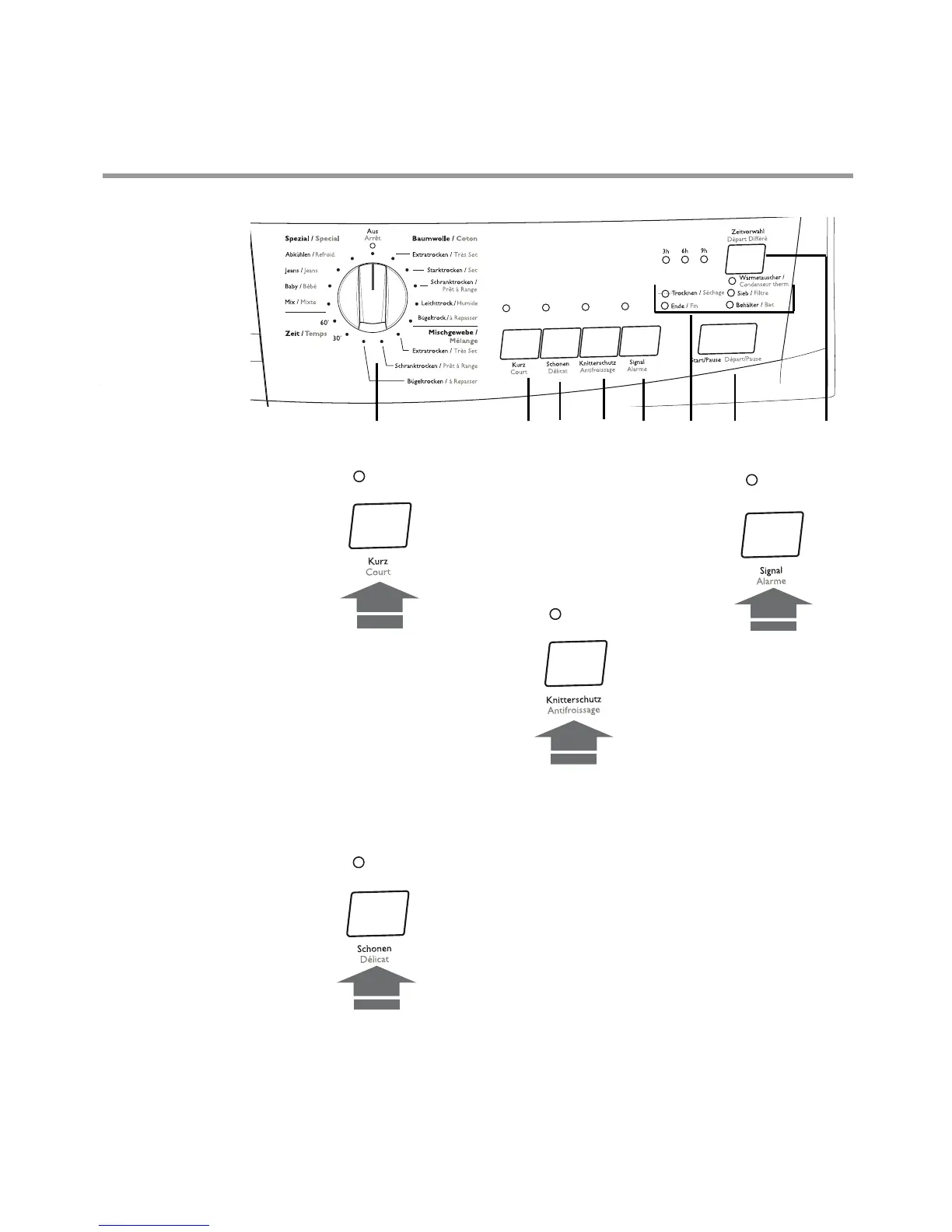
1 Programme/Time
selector dial
Allows you to select
electronically
controlled or time
controlled drying.
Turn the dial to the
required
programme or time.
Electronically
controlled drying
(automatic)
The appliance runs
these programmes
with the help of
probes which detect
the degree of
dampness of the
laundry.
Simply select the
programme
according to the
type of laundry and
degree of drying
required.
2.Quick drying
button - Kurz
By depressing this
button the drying
time is reduced in
the cotton and
sinthetics
programmes
The corresponding
light illuminates.
This option cannot
be selected
together with
Schonen” function
3. Low
temperature
button - Schonen
Pressing this button
allows drying to be
performed at a
lower temperature,
for delicate items.
The corresponding
pilot light comes on.
This option can also
be used for time
controlled drying.
4 Long Anticrease
- Knitterschutz
If this additional
function is selected,
the anti-crease
phase at the end of
the drying cycle is
lengthened by 60
minutes. The
laundry can be
removed at any
time during the anti-
crease phase.
5 Signal - button
A buzzer sounds
when selecting
the programme
when depressing
the buttons
when an incorrect
option selection is
made
when the
programme
selector dial is
turned to another
position during
the programme or
when you
depress an option
button during the
cycle
at the end of the
programme
when the water
reservoir is full
if the machine is
not working
correctly
when the small
door at the
bottom is open
By depressing
The control panel
1 234567
8