Taurus Series Multimedia Players
TB2 Specifications
4 Hardware Structure
7
4 Hardware Structure
4.1 Appearance
4.1.1 Front Panel
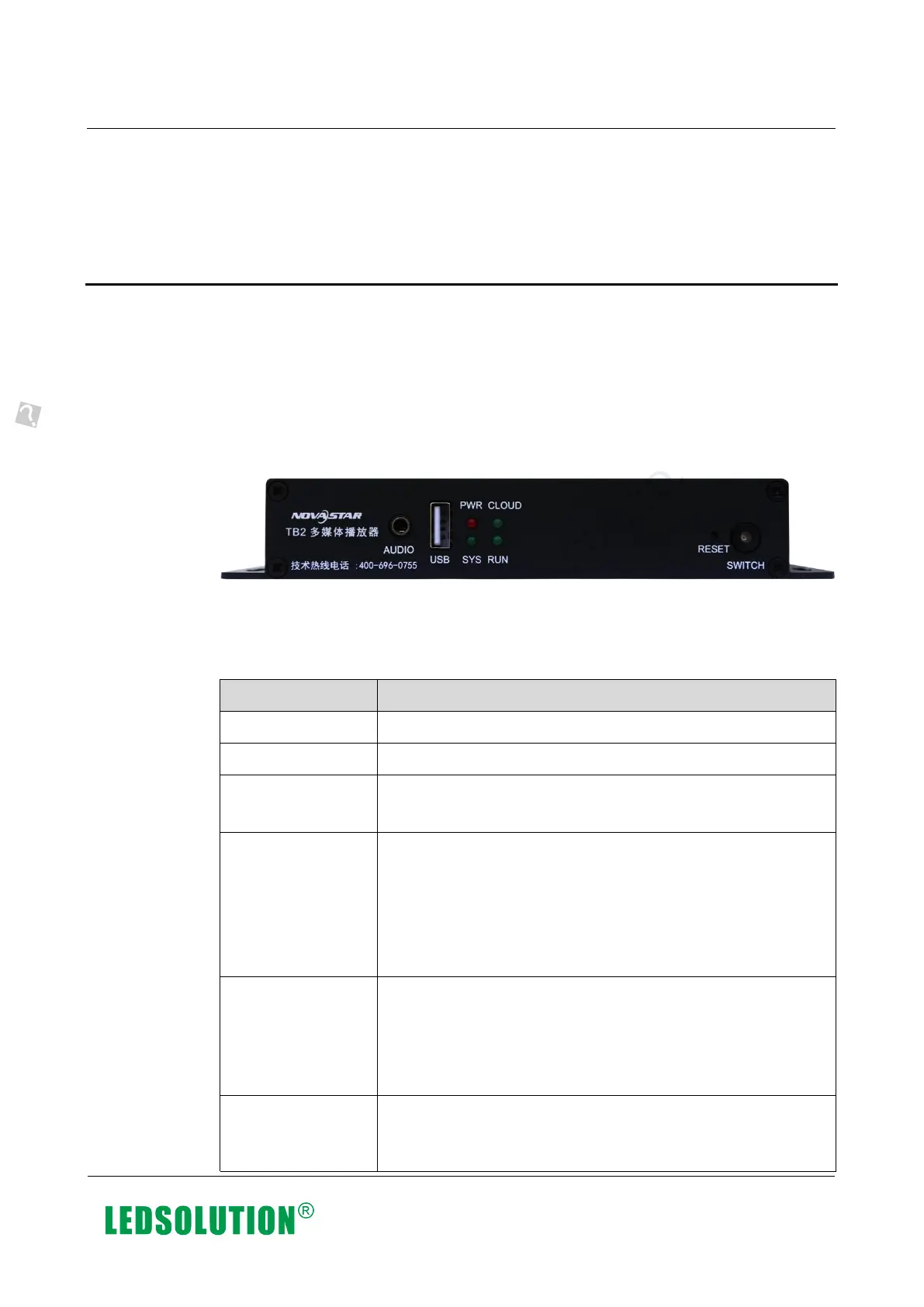
Figure 4-1 Front panel of the TB2
Note: Product images provided in this document are for reference only, and the actual
products shall prevail.
Table 4-1 Description of TB2 front panel
Description
Audio output
USB2.0 port
Power status indicator
Always on: Power input is normal.
System status indicator
Flashing once every 2 seconds: The system is operating
normally.
Flashing once every 0.5 second: The system is
downloading data from the Internet.
Always on/off: The system is operating abnormally.
Internet connection status indicator
Always on: The unit is connected to the Internet and the
connection status is normal.
Flashing once every 2 seconds: The unit is connected to
VNNOX and the connection status is normal.
FPGA status indicator
Same as the signal indicator status of the sending card:
FPGA is operating normally.
Xi’an NovaStar Tech Co., Ltd. Xi’an NovaStar Tech Co., Ltd. Xi’an NovaStar Tech Co., Ltd. Xi’an NovaStar Tech Co., Ltd.
Xi’an NovaStar Tech Co., Ltd. Xi’an NovaStar Tech Co., Ltd. Xi’an NovaStar Tech Co., Ltd. Xi’an NovaStar Tech Co., Ltd.
www.iledsolution.com



 To Next Page