Taurus Series Multimedia Players
TB2 Specifications
4 Hardware Structure
8
Description
Factory reset button
Hold down for 5 seconds to reset to factory defaults.
Button for switching between synchronous and asynchronous
modes
Always on: Synchronous mode
Off: Asynchronous mode
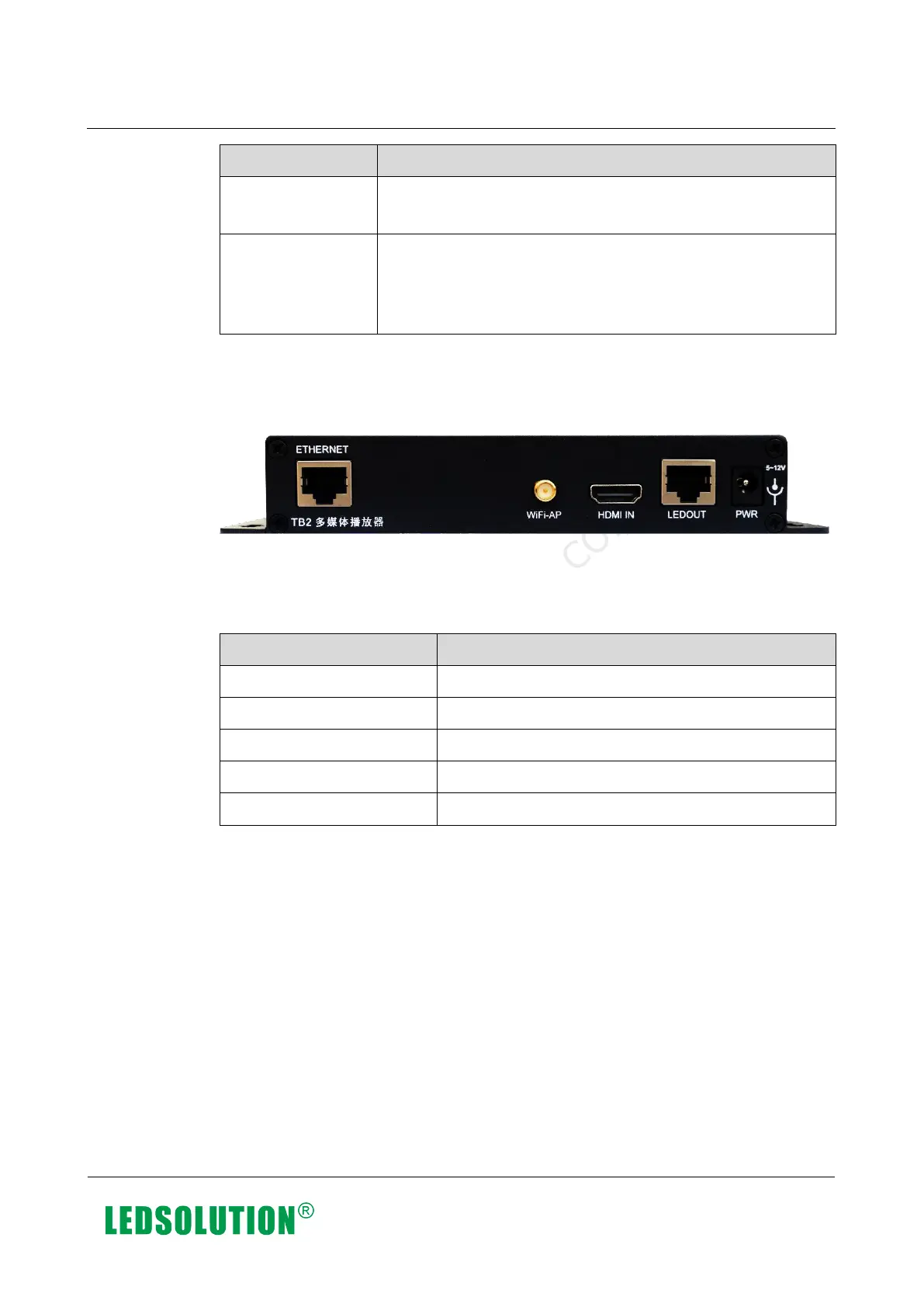
4.1.2 Rear Panel
Figure 4-2 Rear panel of the TB2
Note: Product images provided in this document are for reference only, and the actual
products shall prevail.
Table 4-2 Description of TB2 rear panel
Gigabit Ethernet port
Wi-Fi antenna port
HDMI 1.4 input
Output Ethernet port
Power input
4.2 Dimensions
Unit of the dimension chart is “mm”. Ground connection is enabled for location hole
(GND).
Xi’an NovaStar Tech Co., Ltd. Xi’an NovaStar Tech Co., Ltd. Xi’an NovaStar Tech Co., Ltd. Xi’an NovaStar Tech Co., Ltd.
Xi’an NovaStar Tech Co., Ltd. Xi’an NovaStar Tech Co., Ltd. Xi’an NovaStar Tech Co., Ltd. Xi’an NovaStar Tech Co., Ltd.
www.iledsolution.com



 To Next Page