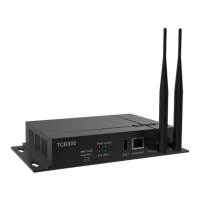
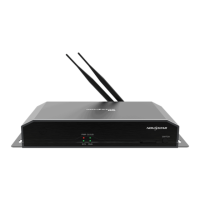
Taurus Series Multimedia Players
TB2 Specifications
3 Features
5
Control Plan Connecting Mode Client Terminal Related Software
Cluster remote
program
publishing and
screen control
Connection via
network line
Connection via Wi-Fi
Mobile phone, Pad
and PC
VNNOX
ViPlex Handy
ViPlex Express
Cluster remote
monitoring
Connection via
network line
Connection via Wi-Fi
Mobile phone, Pad
and PC
NovaiCare
ViPlex Handy
ViPlex Express
Cluster control plan is a new internet control plan featuring following advantages:
More efficient: Use the cloud service mode to process services through a uniform
platform. For example, VNNOX is used to edit and publish programs, and
NovaiCare is used to centrally monitor display status.
More reliable: Ensure the reliability based on active and standby disaster
recovery mechanism and data backup mechanism of the server.
More safe: Ensure the system safety through channel encryption, data fingerprint
and permission management.
Easier to use: VNNOX and NovaiCare can be accessed through Web. As long as
there is internet, operation can be performed anytime and anywhere.
More effective: This mode is more suitable for the commercial mode of
advertising industry and digital signage industry, and makes information
spreading more effective.
3.4 Synchronous and Asynchronous
Dual-Mode
The TB2 supports synchronous and asynchronous dual-mode, allowing more
application cases and being user-friendly.
When internal video source is applied, the TB2 is in asynchronous mode; when
HDMI-input video source is used, the TB2 is in synchronous mode. Content can be
scaled and displayed to fit the screen size automatically in synchronous mode.
Users can manually and timely switch between synchronous and asynchronous
modes, as well as set HDMI priority.
3.5 Wi-Fi AP Connection
The TB2 has permanent Wi-Fi AP. The SSID is "AP + the last 8 digits of the SN", for
example, "AP10000033", and the default password is "12345678". The TB2 requires
no wiring and users can manage the displays at any time by connecting to the TB2 via
mobile phone, Pad or PC.
Xi’an NovaStar Tech Co., Ltd. Xi’an NovaStar Tech Co., Ltd. Xi’an NovaStar Tech Co., Ltd. Xi’an NovaStar Tech Co., Ltd.
Xi’an NovaStar Tech Co., Ltd. Xi’an NovaStar Tech Co., Ltd. Xi’an NovaStar Tech Co., Ltd. Xi’an NovaStar Tech Co., Ltd.
www.iledsolution.com



 To Next Page