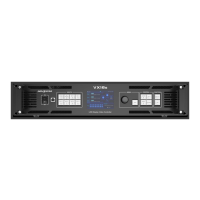
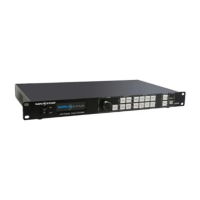
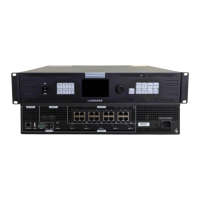
VX400 All-in-One Controller User Manual
Gigabit Ethernet ports
Max. loading capacity: 2.6 million pixels
Max. width: 10,240 pixels
Max. height: 8192 pixels
Ethernet ports 1 and 2 support audio output. When you use a multifunction card to parse
the audio, be sure to connect the card to Ethernet port 1 or 2.
Status LEDs:
The top left one (green) indicates the connection status.
− On: The port is well connected.
− Flashing: The port is not well connected, such as loose connection.
− Off: The port is not connected.
The top right one (yellow) indicates the communication status.
− On: The Ethernet cable is short-circuited.
− Flashing: The communication is good and data is being transmitted.
− Off: No data transmission
Support monitor and video output modes.
The output resolution is adjustable.
OPT 1: Self-adaptive, either for video input or for output
− When the device is connected with a fiber converter, the port is used as an output
connector.
− When the device is connected with a video processor, the port is used as an input
connector.
− Max. capacity: 1x 4K×1K@60Hz or 2x 2K×1K@60Hz video inputs
OPT 2: For output only, with copy and backup modes
OPT 2 copies or backs up the output on 4 Ethernet ports.
Connect to the control PC or router.
Status LEDs:
The top left one indicates the connection status.
− On: The port is well connected.
− Flashing: The port is not well connected, such as loose connection.
− Off: The port is not connected.
The top right one indicates the communication status.
− On: The Ethernet cable is short-circuited.
− Flashing: The communication is good and data is being transmitted.
− Off: No data transmission
Connect to a light sensor to collect the ambient brightness, allowing for automatic screen
brightness adjustment
− Connect to the control PC or used as the input connector for device cascading
USB (Type-A): Output connector for device cascading
XI'AN NOVASTAR TECH CO., LTD.


 To Next Page