Back
welcome
operation
getting started
call functions
in-call functions
music
settings
care
support
safety & disposal
certification &
safety approvals
glossary
connect new
device
_read more
If you no longer want to use a specific phone or music player, you can disconnect it, or even delete it
completely from the list of paired devices.
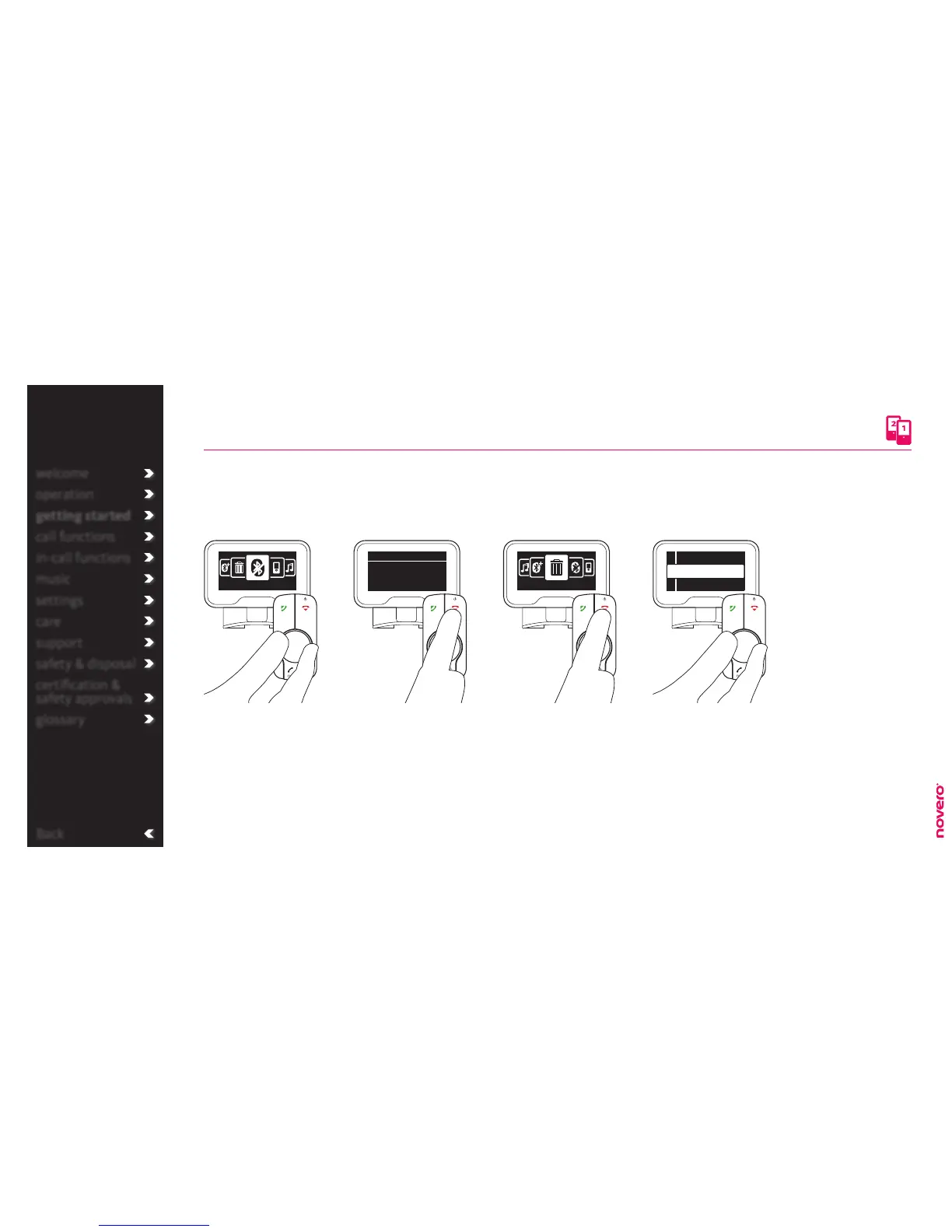
disconnect device
Enter the menu list, turn E
to select Connections, and
press E to confirm.
Turn E to select Disconnect,
and press E to confirm.
Turn E to select phone or
music player, and press E
to disconnect.
The device will still be
available on the list of
paired devices.
Enter the menu list, turn E
to select Connections, and
press E to confirm.
Turn E to select Delete,
and press E to confirm.
Turn E to select phone or
music player, and press E
twice to delete it from the
list of paired devices.
Go to Disconnect Disconnect device Go to Delete Delete device
Disconnect
Phone A
Phone B
Device 1
Device 3
Device 2
Disconnect
Delete


 To Next Page