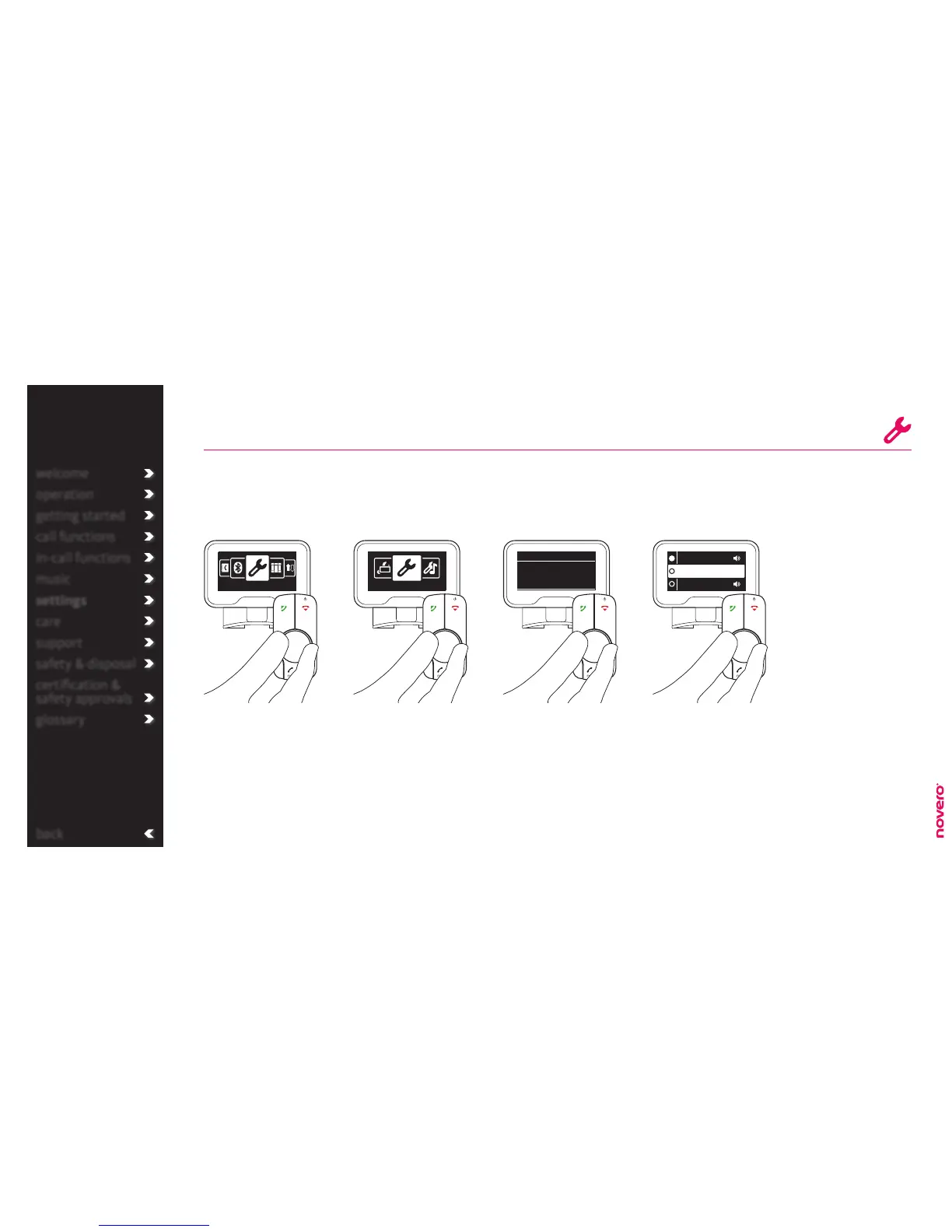
Turn E to select Language,
and press E to confirm.
Turn E to select General
settings, and press E to
confirm.
Enter the menu list, turn E
to select Settings, and press
E to confirm.
TheTrulyOne can operate in a wide range of display languages.
language
Go to Settings Go to General settings Go to Language Select display language
back
Settings General settings
English
Francais
Espagnol
General settings
English
Language
welcome
operation
getting started
call functions
in-call functions
music
settings
care
support
safety & disposal
certification &
safety approvals
glossary
general settings
_read more
Turn E to select language,
and press E to confirm.
The selected language will
also apply to voice output,
if available (indicated by
loudspeaker icon).
tip
Additional languages
are available as a
software update. Please
check the service area
of www.novero.com.
Some variants may not
support voice output.
voice output
_read more


 To Next Page