back
welcome
operation
getting started
call functions
in-call functions
music
settings
care
support
safety & disposal
certification &
safety approvals
glossary
tip
In idle mode you can
redial last outgoing call
by pressing A twice
or access outgoing call
history by pressing A
once.
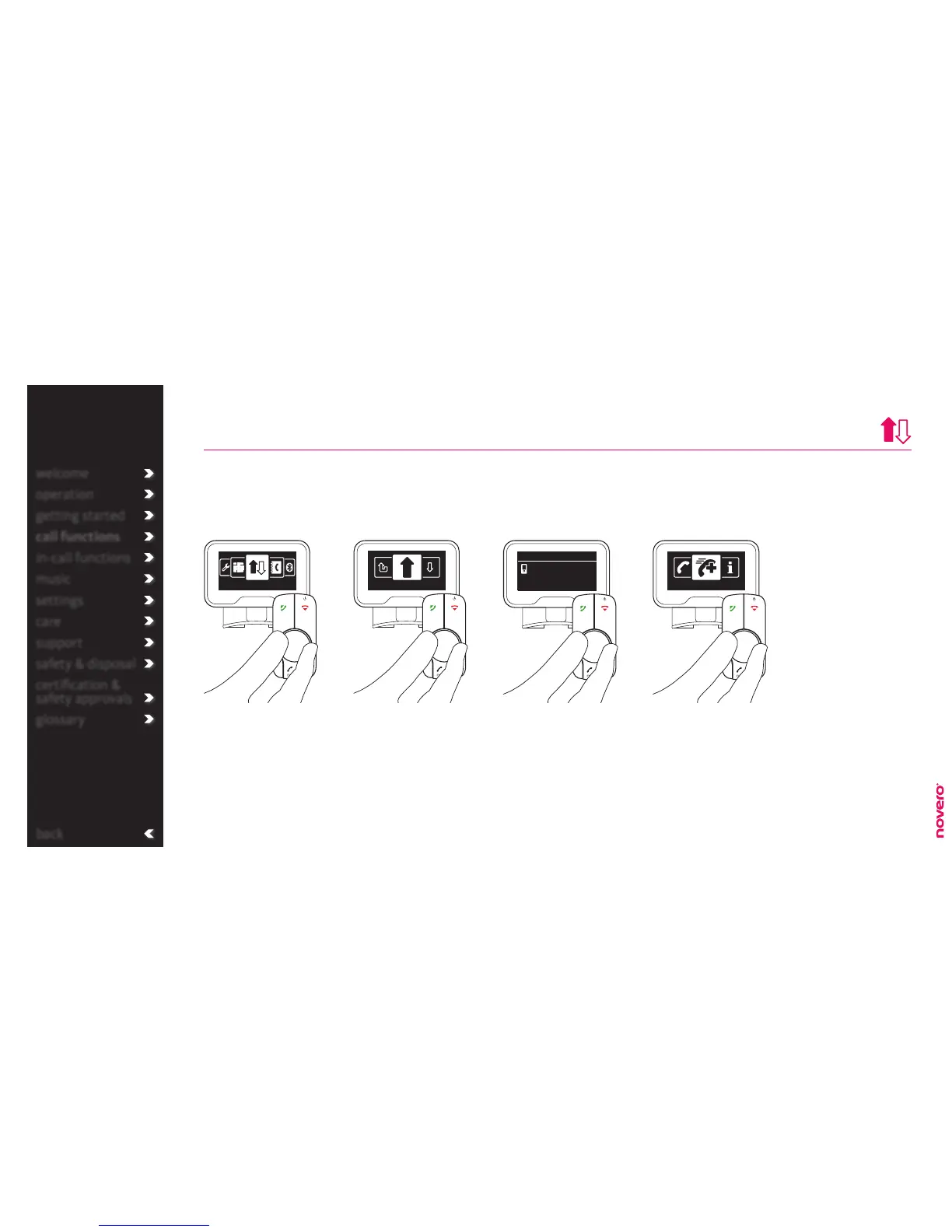
Turn E to select call type,
and press E to confirm.
Enter the menu list, turn E
to select Call history, and
press E to confirm.
In the call history you can see a list of recent outgoing, incoming and missed call. – You can also see call
information or add a number to your VIPs.
call history
Go to Call history Select call type Select number
call functions
_read more
VIP settings
_read more
Call history
Outgoing calls
Turn E to select call.
Press A to call number
or press E to select call
options.
Dialed calls
Lisa Meyer
Call options
Turn E to select call
options and press E to
confirm.
Add to VIPs


 To Next Page