14
R E M O V I N G A N D A T T A C H I N G T H E
F A L C O N G R I P
Your Limited Edition Novint Falcon Bundle comes with two Grips or handles that
are interchangeable. We plan to oer additional Grips at www.novint.com which
may provide dierent shapes and colors and unique game functionality (such as a
steering wheel for driving games, or a pistol Grip for rst-person shooters).
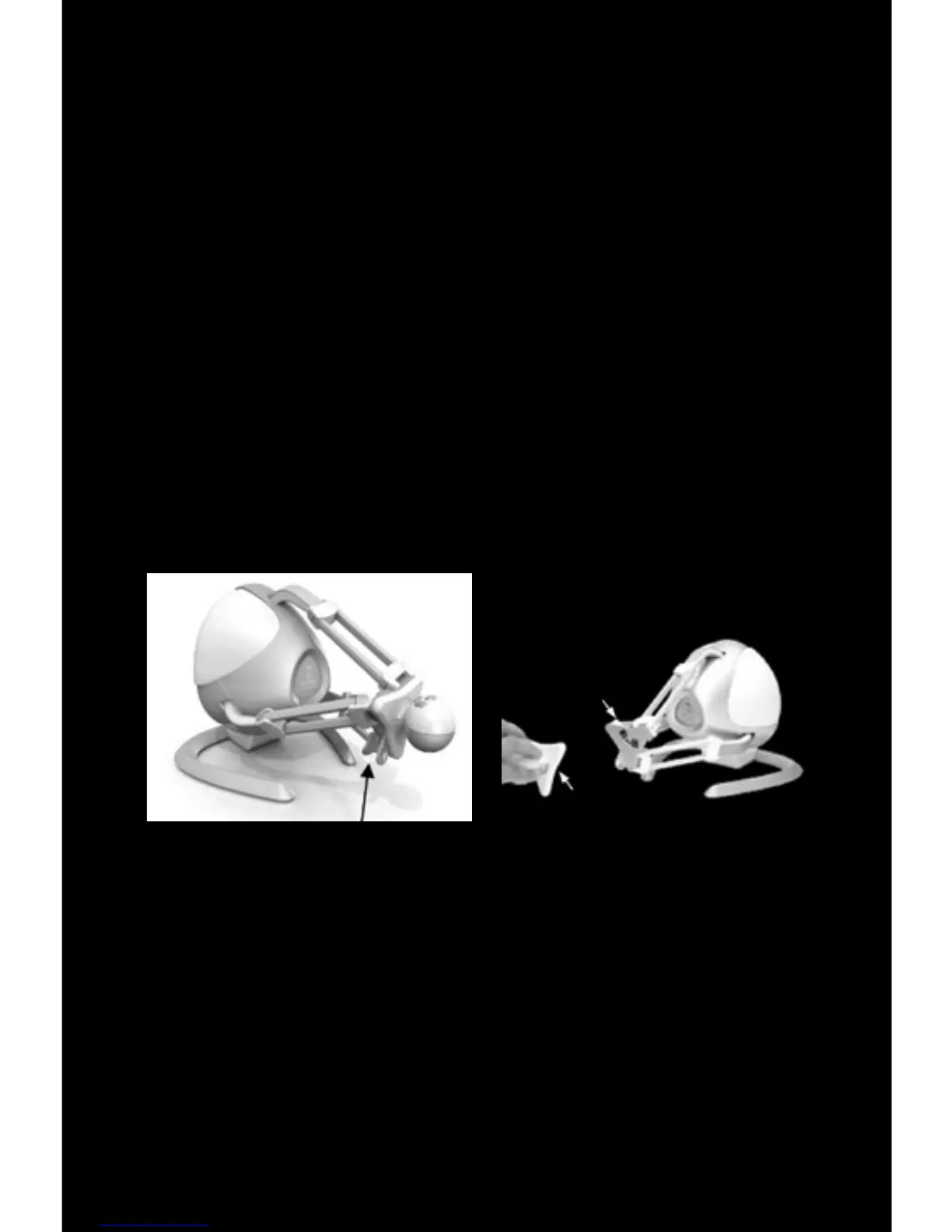
To remove the Grip, squeeze the Grip Release located on the left lower side of the
Grip base. While it is pinched together, pull the Grip away from the Grip base.
To attach a new Grip, simply line up the U-shaped rod on the Grip with the U-
shaped hole on the Grip base. Then push the Grip forward into the Grip base until
it snaps into place.
B
A
Grip (A) pulled away from Grip base (B)Grip Release


 To Next Page