9
N O V I N T F A L C O N
T M
U S E R M A N U A L
(2) Verify the Box Contents:
Novint Falcon
2 Falcon Grips
Power Supply
USB Cable
Novint Game DVD
Driver Installation CD
Novint Falcon User Manual
Novint Games Manual
(3) Remove the Falcon from the box by its body, making sure you support the
base. Never move or pick up the
Falcon by its arms.
(4) Attach one of the Falcon Grips by lining up the U-shaped rod on the Grip to
the U-shaped hole on the Grip base. Push the Grip forward into the Grip base
until it snaps into place. (To remove the Grip, please refer to p. 13.)
Follow instructions for installing the Falcon Driver and the Novint Games.
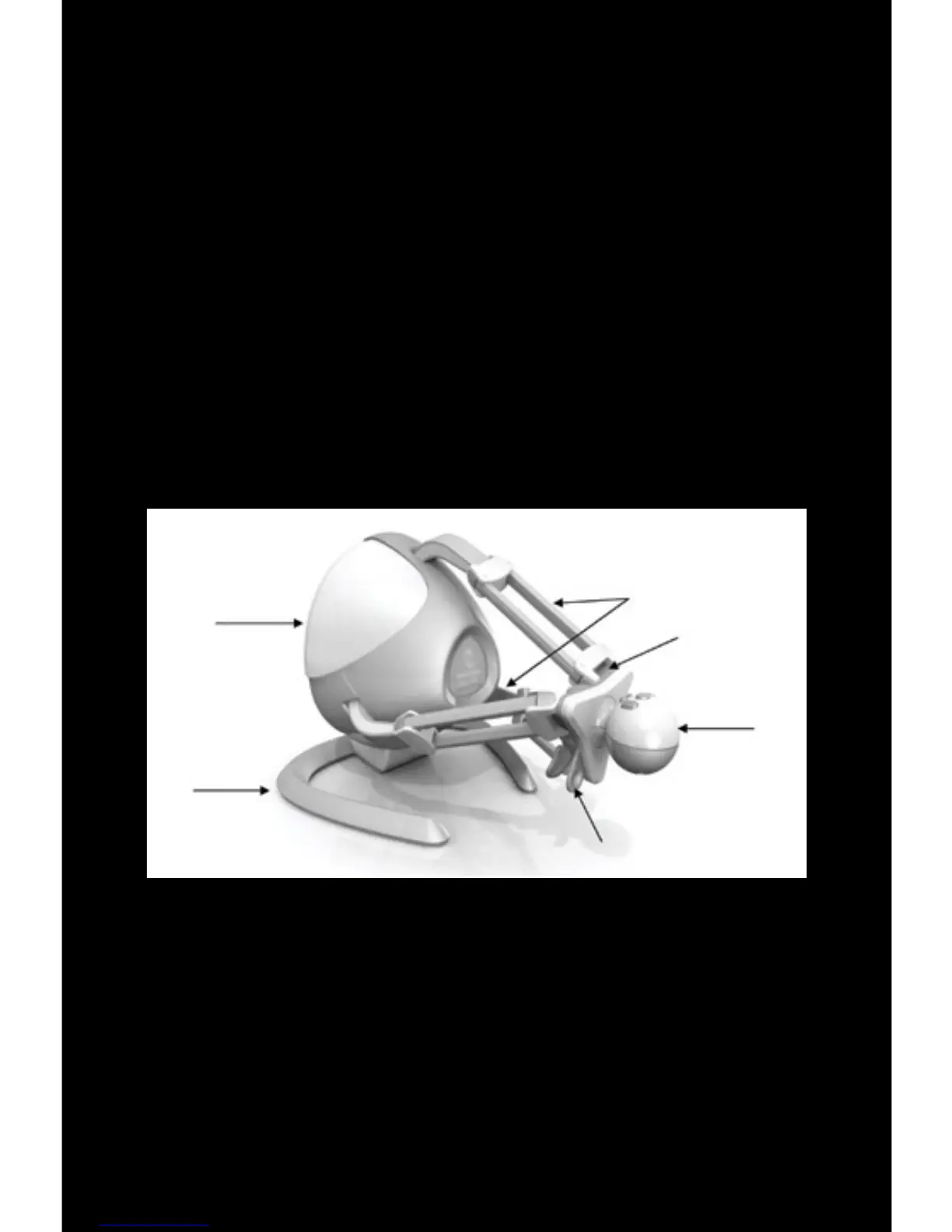
Body
Base
Arms
Grip Base
Grip
Grip Release


 To Next Page