14
Operation - Control Panel
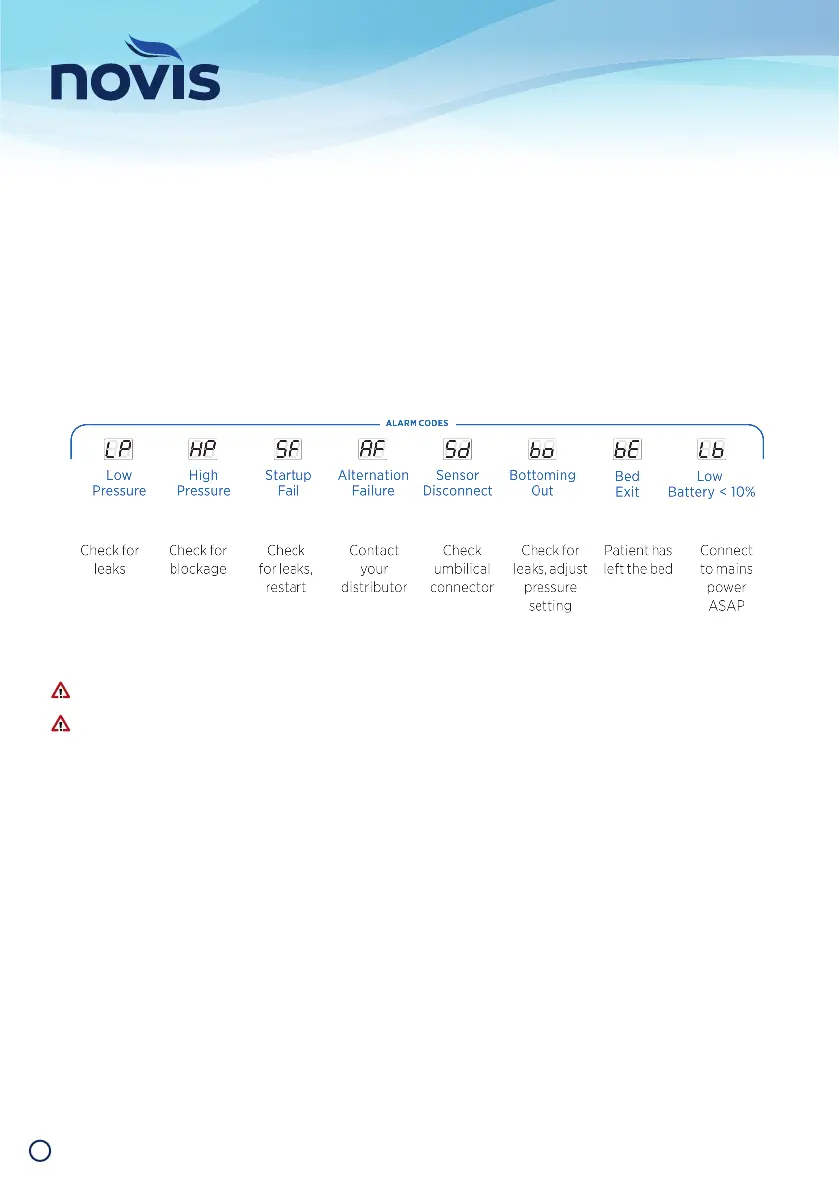
Alarm Codes
The system has eight different alarm codes, each with a unique identifi er that displays in the window. Details of
each code are listed below, and displayed on a label on the front of the control unit.
Press the Alarm Mute button to silence the audible alarm (for a maximum of 20 minutes unless the issue has
been resolved or a new issue has been identifi ed), which will override the mute function.
Refer to Troubleshooting on page 20 for further support.
If the problem persists, contact Novis Healthcare for further advice about repair.
Do not try to open the control unit unless qualifi ed. Doing so will void warranty and could cause personal
injury or equipment damage.


 To Next Page