20
Troubleshooting
Alarm Codes
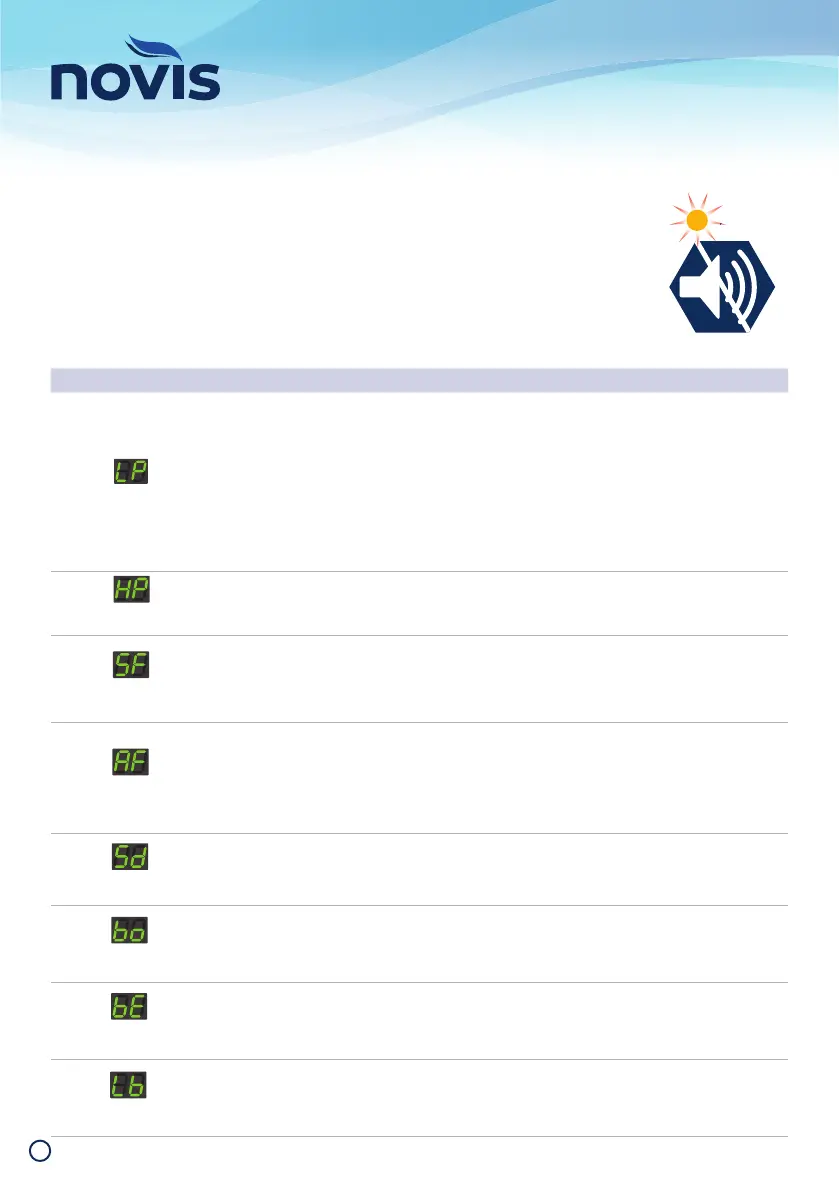
An amber light fl ashes accompanied by an audible alarm and accompanying Alarm
Code display, to indicate the control unit or mattress is experiencing a fault. The light
will continue to fl ash until the fault is cleared. The audible alarm can be silenced for 20
minutes by pressing the Alarm Mute button. It will reactivate if the fault is not rectifi ed,
or if a new fault is detected.
ALARM CODE TRIGGER SOLUTION
Air cells have failed to reach
the pre-set pressure
Ensure the main power is turned on and power cord is connected
to mains and control unit.
Check control unit/mattress air connections are fi tted securely,
and reconnect umbilical cord if loose.
E ns ur e c on tr ol u ni t is t ur n ed o n .
Ensure CPR valve is set to CLOSE position. Replace CPR valve if
air leak is found.
Check air intake from fi lter is not blocked by linen/dust. Replace
with new fi lter if needed.
Air cell pressure exceeds the
pre-set pressure
Check the air hoses for kinks, obstructions or damage.
Undo any kinks and obstructions.
Air cells have failed to reach
operating pressure after
turning on.
Turn off control unit and disconnect from power.
Reconnect to power after 1 minute and restart initiation process.
Check any leaks on control unit/mattress air connections, CPR
valve and air cells.
Air cells have failed to
alternate
Remove patient from mattress. Turn off control unit and
disconnect from power. Reconnect to power after 1 minute
and restart initiation process, return patient to mattress once
initiated and alternation has resumed.
If issue persists, contact Novis Healthcare – a service may be
required.
Control unit has failed to
detect connection to patient
we ig h t s ens or a n d e xi t pa d
sensor
Ensure air hose connector is securely fastened and reconnect
if loose.
Patient bottoming out has
been detected
Ensure air hose connector is securely fastened and reconnect
if loose.
Ensure CPR Valve is set to CLOSE position or replace if damaged.
Replace air cells if damaged.
Bed Exit pad has detected
patient egress.
Check for patient on mattress.
To reset bed exit alert, turn off bed exit alarm by pressing the
“Bed Exit” button, return patient to mattress, press “Bed Exit”
again to reactivate alert.
Battery charge below 10% of
capacity
Check the control unit is connected to the mains power supply
and the power is operational.
ALARM
MUTE
Low
Pressure
Bottoming
Out
Bed
Exit
Low
atter
< 10%
Sensor
Disconnect
High
Pressure
Startup
Fail
Alternation
Failure


 To Next Page