
 Need help?
Do you have a question about the Noxon iRadio and is the answer not in the manual?
Details the necessary network conditions for the NOXON iRadio to function correctly.
Provides essential safety guidelines for operating and handling the NOXON iRadio device.
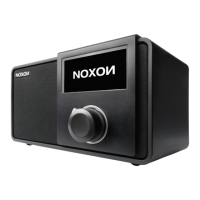
Details the controls and display elements located on the front of the NOXON iRadio.
Identifies the ports and power switch on the rear of the NOXON iRadio.
Explains the function of the station preset and playback control buttons on the top of the device.
Describes the functionality of the included remote control for operating the iRadio.
Guides users through the initial setup process, including network connection and software updates.
Provides guidance on setting up network connections and automatic network checks.
Explains how to input text using the dial and selection buttons for various settings.
Introduces music streaming concepts, DLNA, and supported file formats for the iRadio.
Details how to stream music from a PC or other UPnP servers using Windows Media Player.
Explains DLNA support for streaming music and controlling playback from PCs and mobile devices.
Illustrates setting up DLNA for multi-player streaming and controlling playback via Windows Media Player.
Discusses using DLNA apps on mobile devices to stream music to the iRadio and control playback.
Provides a high-level overview of the iRadio's main functions and menu structure.
Explains how to navigate through the main menu options like My mediaU, Internet Radio, and Configuration.
Details how to manage and set up your My mediaU account for personalized content.
Covers enabling, disabling, and configuring Wi-Fi network connections for the iRadio.
Explains connecting to Wi-Fi using WEP/WPA codes or WPS for seamless network integration.
Guides users through manual IP address setup for wired or wireless network connections.
Allows setting the date, time, and time formats, including Daylight Saving Time.
Covers adjusting the display backlight brightness and setting dimming timers.
Explains how to configure automatic standby mode based on inactivity or Wi-Fi signal status.
Allows setting a timer for the iRadio to automatically turn off or enter standby mode.
Configures the buffer time for music playback to ensure smooth streaming.
Enables displaying weather information on the standby screen and setting units.
Guides setting up local radio by manual or auto-detect location for regional stations.
Allows selection of playback modes like Repeat All, Repeat One, or Shuffle for media playback.
Explains how to rename the device for DLNA setup on PC or mobile devices.
Determines if the iRadio resumes the last played internet radio or media center on power-on.
Details how to update the iRadio's software and how the system notifies about new versions.
Explains how to restore the device to its default factory settings and the subsequent setup steps.
Guides users to create and link a My mediaU account for personalized station lists and playback.
Explains how to save and manage favorite radio stations for quick access.
Details how to access and play previously listened to radio stations.
Covers searching for radio stations and adding new stations to the favorites list.
Guides playback of shared media files from UPnP sources and managing playback options.
Explains how to create, save, and clear personal music playlists from UPnP sources.
Details how to access Weather, Financial, and System Information through the device.
Provides access to weather information and forecasts for various cities worldwide.
Displays stock market index information from around the globe.
Shows system version, MAC address, and connected network details for user reference.
Provides solutions for the device not switching on or producing sound.
Offers remedies for WLAN connection failures and inability to find stations.
Addresses issues with the alarm function not working and the system freezing unexpectedly.
 General
| Radio type | Internet |
|---|---|
| Tuner type | - |
| Preset stations quantity | 14000 |
| RMS rated power | - W |
| Audio formats supported | AAC, AAC+, MP3, WMA |
| Wi-Fi standards | 802.11b, 802.11g |
| Input voltage | 220-240 V |
| Security algorithms | 128-bit WEP, 64-bit WEP, WPA, WPA2 |
| Apple docking compatibility | Not supported |
| Compatible operating systems | - Windows XP/Vista/7\\r - Mac OS X 10.3 |
| Headphone connectivity | 3.5 mm |
| Product color | Black |
| AC input frequency | 50 - 60 Hz |
 Weight and Dimensions
| Depth | 116 mm |
|---|---|
| Width | 190 mm |
| Weight | 1000 g |

 To Next Page



