Need help?
Do you have a question about the Noxon iRadio 310 and is the answer not in the manual?
Key safety guidelines for operating the NOXON iRadio 310, including environmental and handling precautions.
Information on proper disposal of the product and its batteries according to European directives.
Lists the items included in the NOXON iRadio 310 package for initial setup.
Essential requirements for connecting the NOXON iRadio 310 to a network, including internet and router details.
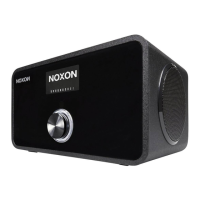
Description of the main controls on the NOXON iRadio 310, including navigation dial and buttons.
Identification of the various ports on the rear of the NOXON iRadio 310 for connectivity.
Detailed explanation of the functions of each button on the remote control for the iRadio.
Guide through setting language, time, and connecting to a network via wired or wireless connection.
Instructions on how to enter the network key for secure WLAN connection to your network.
How to navigate the main menu and select options like 'Internet Radio'.
How to navigate submenus and select stations based on country, genre, or popularity.
Methods for adjusting the volume during playback using the device or remote control.
 General
| Type | Internet Radio |
|---|---|
| Connectivity | Wi-Fi, Ethernet |
| Display | LCD |
| Power Supply | AC adapter |
| Audio Output | Headphone Jack |
| Supported Formats | MP3, WMA |
| Frequency Range | Internet radio |


 To Next Page