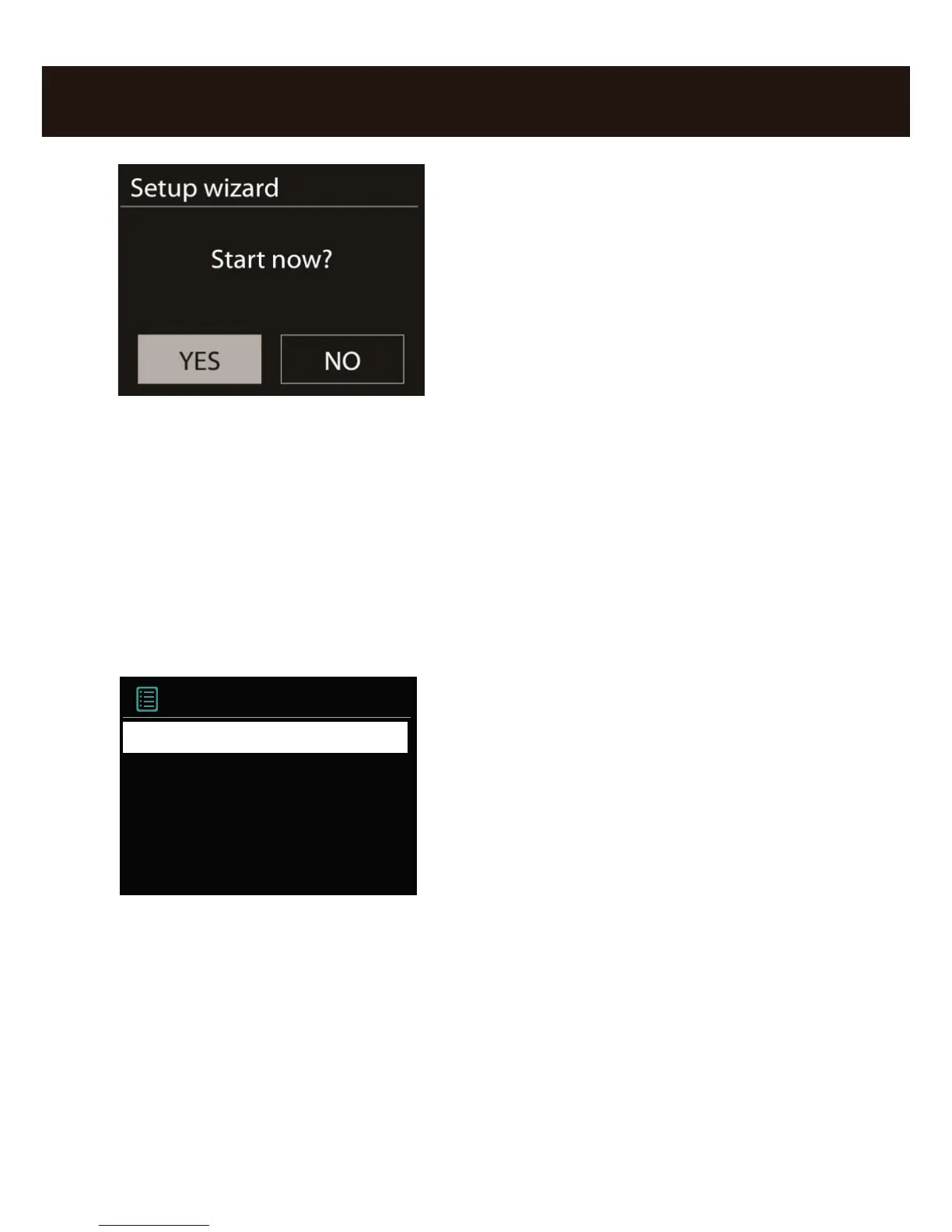
Use the navigation dial to select a language for
the menu and conrm – as in all other menus –
the selection by pressing the navigation dial.
Then, enter the time format (12/24-hour).
However, we recommend that you set the date and time immediately (Day, Month,
Year,Time), as well as the WLAN region you are located in.
Once you have done so, all that remains to be done is to connect to the network. Don‘t
worry, even this should not be complicated – the network wizard will give you all the
help you need.
We‘ll explain the ins and outs of this in the detailed manual later on. For now, we offer
just a brief overview (after all, you are still in the „Overview“ chapter), as we do not want
to bore anybody.
The setup wizard gives you the ability to choose between the cable connection and the
wireless WLAN port. If you prefer the cable version, select [Wired].
The setup wizard connects to your router automatically and that‘s it – you‘re in! Howe-
ver, if the iRadio is integrated via WLAN, please select your WLAN network on the
display. After selecting the desired network, you then have to enter the password to
connect to the WLAN.



 To Next Page