11
Scope of delivery
Start by making sure that the contents of the package are complete. The NOXON pa-
ckage should contain at least the following items:
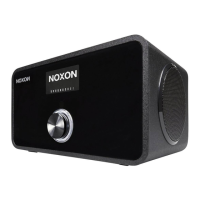
• NOXON iRadio 310
• Power supply cable
• Remote control with battery inserted
• Quick Start Guide (DE, EN, FR, IT, ES, NL)
Quick Start Guide for pros
This Quick Start Guide shows you how to get started using your NOXON device. You
will nd detailed descriptions and special congurations in the advanced manual, which
you can download from our website (www.noxonradio.com).
Pretest
Like any network device, your NOXON needs to be connected to your network before
you can get started.
What do you need?
• A fast Internet connection (for example, DSL, ideally with a at rate).
• A router for Internet access; for wireless operation, what is called a WLAN
(Wireless LAN) router
• A network cable, if you do not want a wireless Internet connection for your device
• For WLAN integration: your network key (WEP, WPA or WPA2)
This key, just like any key, protects your network from unauthorised access and was
generated when your network was set up. To allow NOXON access to a key-protected
network, you will need to enter the network key into NOXON in a later step. If your
network does not have a key, the NOXON can connect to the Internet without a network
key.
Note: If you are not sure whether you are using a key of this type in your network, just
give it a try without entering anything! If this does not work, repeat the setup process
from the beginning. However, you will need to know your network key at this point.
Please ask the person who set up your network for assistance.



 To Next Page