Overview
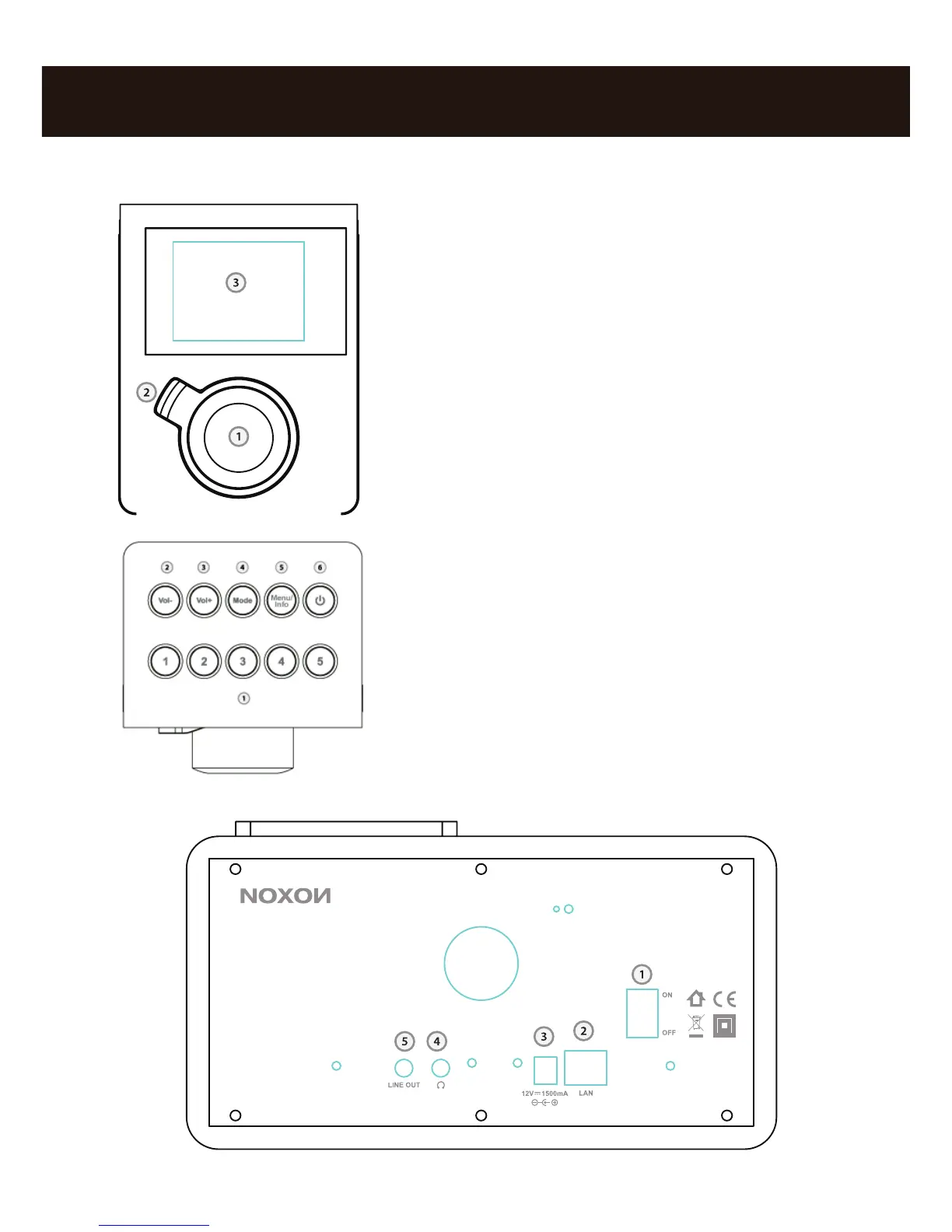
1. Navigation dial with push function for
selection: Scroll through the menu by
turning the dial in the list view. To select a
menu item, press the dial once.
2. Back button:This takes you one step back
in the selection.
3. Display
1. Prest stations 1 - 5
2. Volume minus
3. Volume plus
4. Mode – change between internet radio
recepti on and musicplayer.
5. Menu/Info – receive more inforation about
the program
6. Standby On/Of



 To Next Page