Need help?
Do you have a question about the Noxon iRadio 300 and is the answer not in the manual?
Overview of the primary menu options including Internet Radio, UPNP, Sleep Timer, Alarm, and System Settings.
Details sub-options within Internet Radio like Favorites, Stations, Podcasts, myNOXON, and History.
Details system settings: Equalizer, Network, Time/Date, Language, Factory reset, Software update, Setup wizard, Info.
Essential safety guidelines for operating the NOXON iRadio to prevent damage or injury.
Lists items included in the package and advises to verify completeness.
Details the necessary network connection requirements for setup, including internet connection and router.
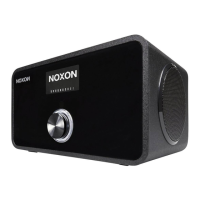
Explains the functions of the navigation dial, back button, and display for device operation.
Details the various ports on the rear panel, including power, LAN, audio outputs, and the WLAN antenna.
Explains the purpose and operation of each button on the remote control for managing the iRadio.
Guides the user through the initial setup wizard for date, time, and network configuration.
Discusses the two primary options for connecting the NOXON iRadio to a network: wired (LAN) or wireless (WLAN).
Guides the user to find and select their specific WiFi network from the available list.
Details the process of entering the WiFi password using the navigation dial for secure network access.
Highlights the extensive internet radio capabilities, offering access to stations worldwide.
Explains how to connect to a network and play audio files from a media server.
 General
| RMS rated power | - W |
|---|---|
| Audio formats supported | AAC, AAC+, MP3, WMA |
| Radio type | Internet |
| Tuner type | Digital |
| Supported radio bands | - |
| Driver unit | 100 mm |
| Speaker type | 2-way |
| Headphone outputs | 1 |
| Headphone connectivity | 3.5 mm |
| Input voltage | 220-240 V |
| MP3 bit rates | 320 Kbit/s |
| MP3 sample rates | 48 kHz |
| Security algorithms | 128-bit WEP, 64-bit WEP, WPA, WPA2, WPS |
| Apple docking compatibility | Not supported |
| Compatible operating systems | Windows XP, Windows Vista, Windows 7\\r Mac OS X 10.3 |
| Product color | Black |
| Wi-Fi standards | 802.11b, 802.11g |
| Ethernet LAN data rates | 10, 100 Mbit/s |
| AC input frequency | 50 - 60 Hz |
| Cables included | AC |
 Weight and Dimensions
| Depth | 143 mm |
|---|---|
| Width | 240 mm |
| Height | 132 mm |
| Weight | 1720 g |


 To Next Page