Need help?
Do you have a question about the Noxon iRadio M110+ and is the answer not in the manual?
Configures device parameters like network, language, and updates.
Stores and accesses user-selected radio stations or content.
Provides crucial guidelines for safe and proper usage of the device.
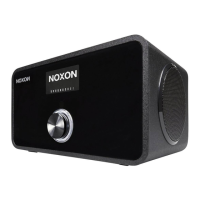
Describes the controls and display elements on the front of the iRadio.
The starting point for navigating all other menus and functions.
Accesses online radio stations, podcasts, and related content from the main menu.
How to create and manage a personal list of favorite stations via the main menu.
Adjusts audio soundscape by modifying bass, midrange, and treble levels.
Configures network connections, Wi-Fi, and wired network settings.
Resets the device to its original factory default settings.
Manages firmware updates for the device to ensure latest features.
Initiates the initial setup process for network and language configuration.
Guides through the initial network connection and language setup process.
Step-by-step guide for setting up a wired network connection.
Explains the two connection options: wired (LAN) and wireless (WLAN).
Explains key network terms relevant to device integration.
Discusses optimal placement for good wireless signal strength.
Explains how to connect the iRadio wirelessly via a router.
Describes WPS for simplified and secure network setup.
 General
| Brand | Noxon |
|---|---|
| Model | iRadio M110+ |
| Category | Radio |
| Type | Internet Radio |
| Connectivity | Wi-Fi, Ethernet |
| Power Supply | AC Adapter |
| Battery | No |
| Display | LCD |
| Audio Output | 3.5 mm headphone jack |
| Additional Features | Alarm Clock, Sleep Timer |
| Features | Internet Radio |


 To Next Page