65
Internet Radio: Setup in detail
One question before starting: Wired or wireless?
The NOXON is designed to play les located on a network, either the Internet or your
home network. Two options are available for integrating the device into a network:
Via a wired connection (LAN, Ethernet)
Use a standard network cable to connect the device to a router, switch or hub—to con-
nect it to your PC directly, use a crossover cable.
Via a wireless connection (WLAN, Wi-Fi)
A wireless connection uses a radio link to an access point, router or computer.
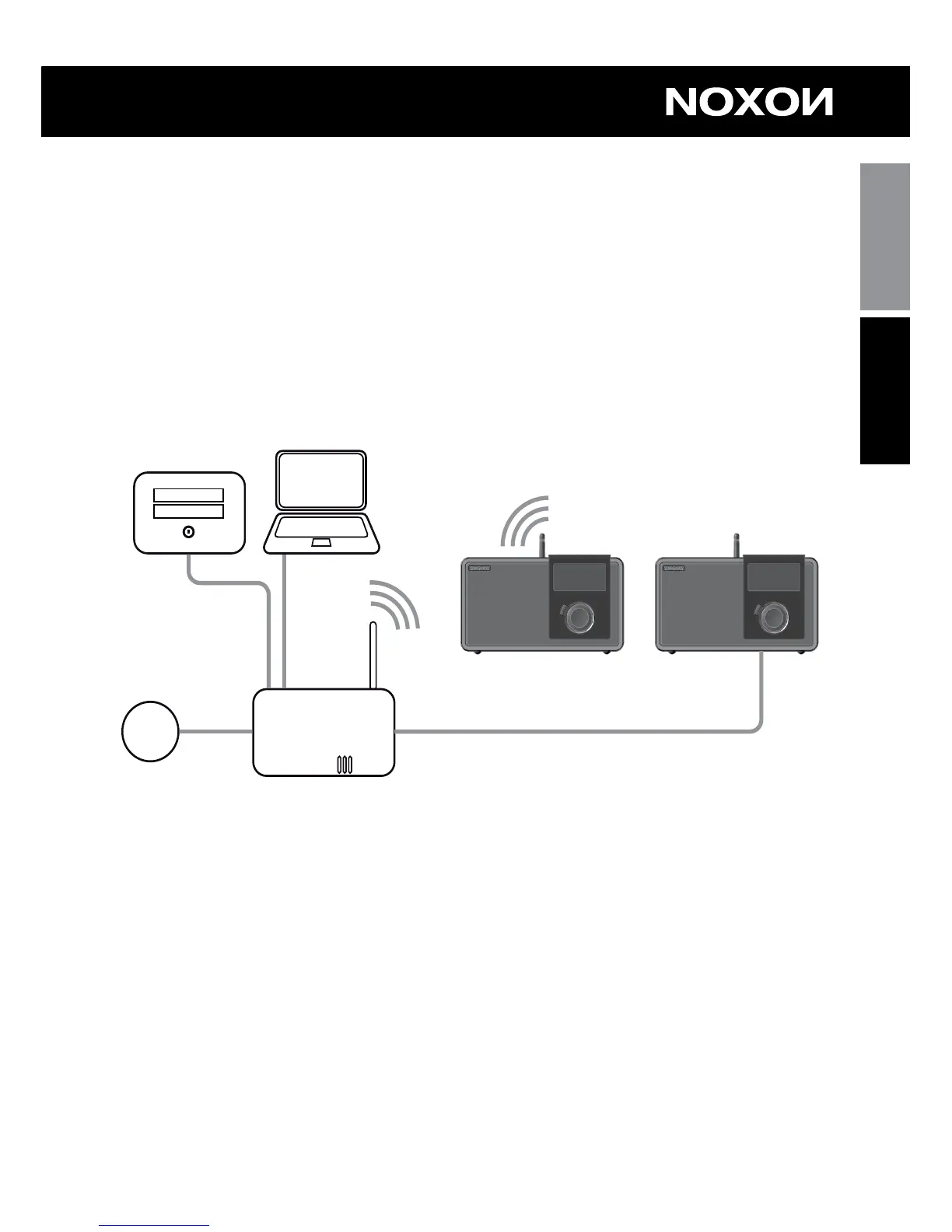
Here, as an example, the integration via cable or WLAN
On routers, SSID, MAC & IPs
You will come across a number of the following topics automatically when integrating your
NOXON. Together with the glossary in the appendix, these brief explanations will give
you a better understanding for making decisions with regard to your network settings. A
number of items are relevant only in connection with wireless networks. We’ll continue
with the actual setup in Chapter “5 – Scenario 1 – the wired network integration”!
Setting up the router options
For this purpose, you must be sufciently familiar with the router—or its administrator—
to change its conguration and understand its overall handling. Otherwise, you have to
know somebody who is familiar with these things. Normally, these devices use Web in-
terfaces for their administration. In other words, you only need to enter a specic address



 To Next Page
 Loading...