45
Overview
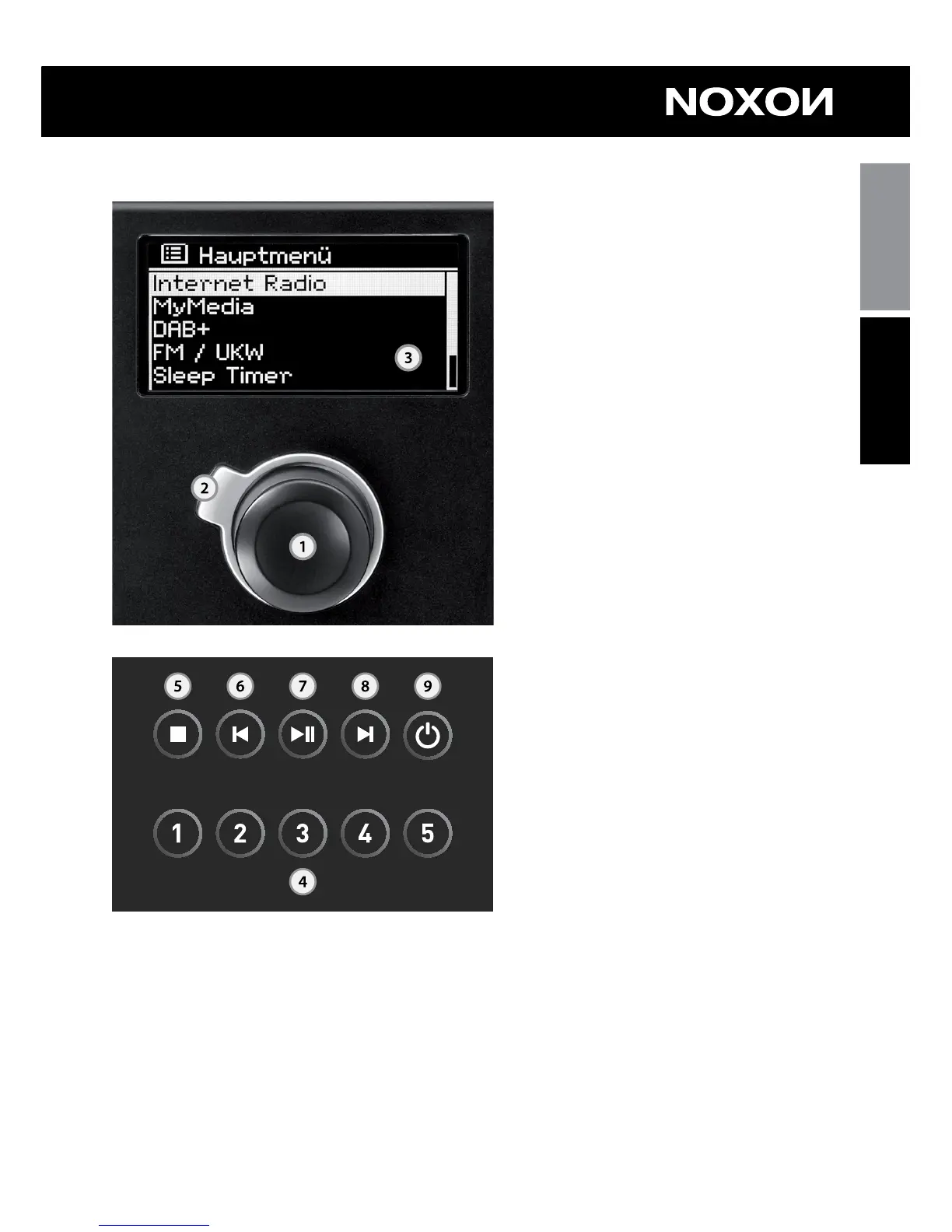
Front
1. Navigation dial with push function
for selection: Scroll through the
menu by turning the dial in the list
view. Turning the dial during play-
back changes the volume. To select
a menu item, press the dial once.
2. Back button: This takes you one
step back in the selection.
3. Display: Shows information on me-
dia, functions and menus.
Top
4. Station keys 1 to 5: Here, you can
save up to ve of your favourite sta-
tions for quick access.
5. Stop: Stops playback.
6. Skip Back: Jumps to the previous
track.
7. Play/Pause: Starts and pauses
playback.
8. Skip Forward: Jumps to the next
track.
9. Standby On/Off: Here, you can
wake up the iRadio or put it back to
sleep.



 To Next Page