Need help?
Do you have a question about the NRI G-46 MDB and is the answer not in the manual?
Overview of the G-46 series changers, their applications, and supported machine interfaces.
Explains fonts, signs, and safety instructions used within the manual for user guidance.
Enhances protection against manipulation via monitored coin run and string sensor.
Describes PC and Palm handheld programs for checking and modifying coin changer data.
Enables reading error messages, PRO adjustments, and SER functions.
Software for diagnostics and configuration with options similar to the Setting Module.
Used for downloading data and adjusting acceptance bands on memory blocks.
Computer stations for adjusting coin acceptance, payout, malfunctions, and sorting.
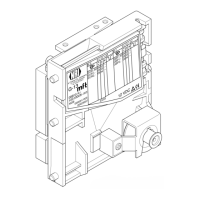
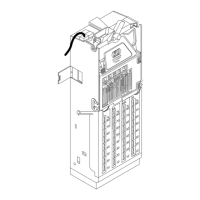
Illustrates and labels the main components of the G-46 coin changer.
How coins are checked, accepted, and sorted into tubes or the cash-box.
Describes the payout module and 4 coin tubes for different coin diameters.
How sensors check coin properties and use acceptance bands for validation.
Memory locations for coin acceptance, bands, and sorting/inhibit information.
How to inhibit coin channels 1-8 using DIL switches.
How to activate memory blocks 0 or 1 using DIL switch 10.
Instructions for safe transport, including emptying tubes and proper handling.
Step-by-step guide for installing the changer, including checks and connections.
Explains the function of each key on the setting module.
Outlines the three selectable modes (DIS, PRO, SER) and navigation.
Describes general procedures for programming and selecting/changing values.
Details key presses to enter programming mode and adjust functions.
Provides an example of changing specific data, like coin inhibit.
Steps for filling coin tubes, including cash-box emptying and counter reset.
Step-by-step guide for filling tubes via the changer's internal keyboard.
How to fill tubes using service function Ser 05 and interpret the display.
Methods for emptying tubes using the internal keyboard or service functions.
Dispensing coins from individual tubes using the internal keyboard.
Emptying tubes via service function Ser 01 when internal keyboard is disabled.
Lists and describes programming functions (PRO) and their adjusted values.
Configures whether un-displayable credit is added up or reset.
Determines if inventory keys are controlled by the machine or internally enabled.
Sets whether the security stock of coins can be paid out.
Configures acceptance of only tube coins during tube filling.
Sets whether inventory keys are disabled via machine control.
Allows individual inhibition of coin channels 1-16.
Adjusts the sensitivity of the string sensor.
Sets maximum coin capacity per tube before overflow.
Defines the number of coins not to be paid out for each tube.
Configures the time the changer remains active after the last message.
Adjusts which coin types are sorted into each of the four tubes.
Assigns specific coin channels to hoppers for payout.
Enables or disables hoppers 1 and 2 for coin payout.
Lists and describes the available service functions (SER).
Steps to reset coin counters for each tube to zero.
Table of common problems, causes, and remedies.
Explains LED flashing patterns indicating faults.
How to retrieve and interpret error messages from the setting module.
Detailed steps for removing and installing coin tubes.
Step-by-step instructions for removing and installing the payout set.
Procedures for removing and reinstalling the interface module (PCB).
Max coin types, diameter, and thickness for acceptance.
Diameter and thickness of coins for payout from tubes.
Physical height, width, and depth of the changer.
Required vertical mounting position with deviation allowance.
Acceptable range of operating temperatures.
Maximum allowable air humidity for operation.
Required DC voltage range for operation.
Lists standby and maximum power consumption.
Compliance with EC guidelines for noise immunity and emission.
Compliance with the low voltage directive.
Confirmation of product compliance with applicable directives.
 General
| Brand | NRI |
|---|---|
| Model | G-46 MDB |
| Category | Cash Counters & Coin Sorters |
| Language | English |

 To Next Page