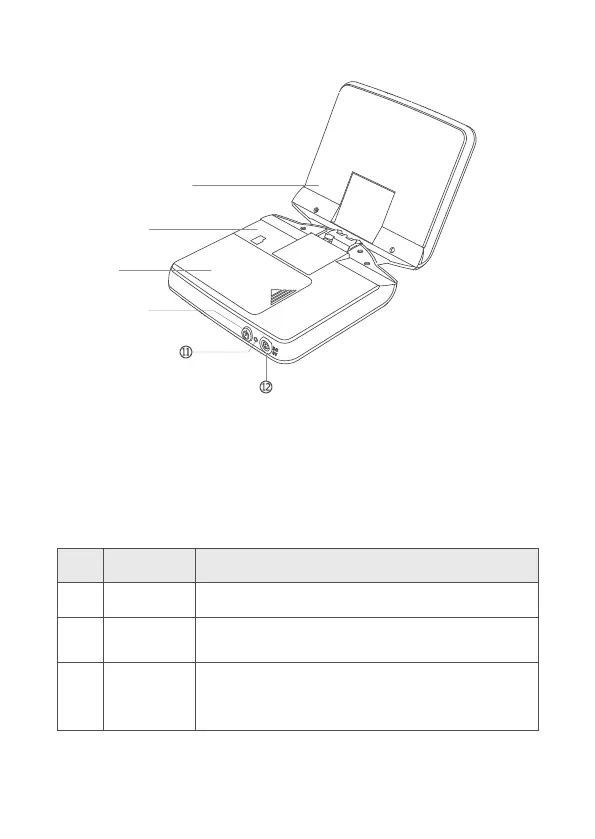
Display image.
Press it to enter the video mode, start up or stop video
recording.
In preview mode, press it to zoom in an image.
In main menu: press it to upward select menu.
In secondary menu: press it to set adding related parameters.
No. Name
LCD screen
Video button
Upward
button
Instruction
1.2 Components
8
Figure 2 Components of the Handheld Main Unit
①
②
③
⑨
⑩
⑧
⑦


 To Next Page