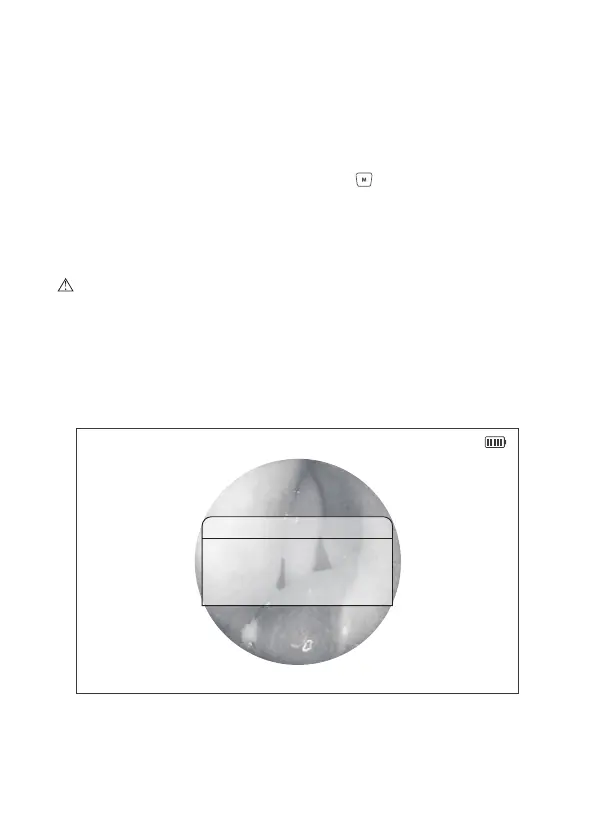
Figure 8 Storage Space Alert
2014/08/14 20:36:30
Notice
Card Full
2.7 Storage Space Alert
In the preview mode, photo shooting and video recording can be conducted.
When being insufficient storage space, an Alert Dialog will be shown on the
screen for 2secs, and the system will automatically return to the preview
mode, or you may press the Menu/Set button to return to the preview
mode. When the storage space alert flip up, please stop photo shooting or
video recording, and remove the unneeded documents in the Micro SD
card on time, or, please change the Micro SD card so as to ensure more
storage space.
Caution: The Micro SD card is standardly configured as 32G. A photo shot
by this device has a capacity of about 853K, a video of 1920x1080pixel in
1min has a capacity of 100M, while a video of 1280x720pixel in 1min 56M.
Therefore, when the Micro SD card saved 30,000 photos, and 5hs video of
1920x1080pixel, or 9hs video of 1280x720pixel, please remove any unneeded
files, or change the SD card, so as to ensure more storage space.
14


 To Next Page