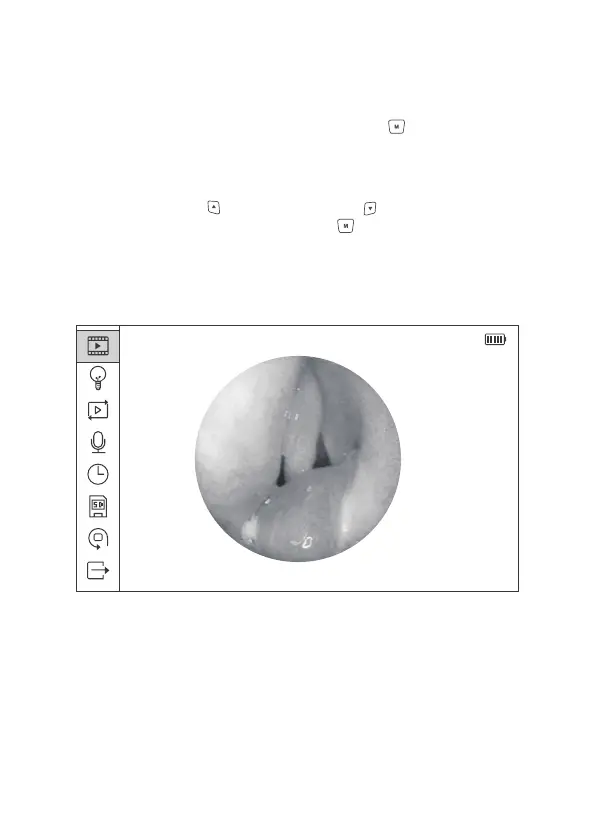
Figure 9 Main Menu Interface
2014/08/14 20:37:30
2.8 Main Menu Settings
In the preview mode, press the Menu/Confirm Button to enter the mode of
main-menu setting, in which includes 8 secondary menus: Image Quality
Settings, Light Source Settings, Playback, Audio Recorder Settings,
System Time Settings, Micro SD Card Formatting, Reset to Factory Setting
and Exit. Press upward and downward button can select the previous
or the next menu, press the Menu/Set button again to enter the secondary
menu.
15


 To Next Page