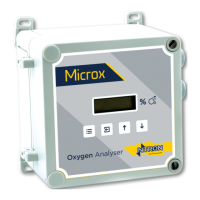
Ntron OxyTX
Operation and Installation Manual
Revised:10/2013 ECN00008
Part No.:01-507
Ntron Ltd, Mullaghboy Industrial Park, Navan, Co Meath, IRELAND
Tel: + 353 (46)9071333 • Fax: + 353 (46)9071331 •
Email: info@ntron.com • Website: www.ntron.com/ntron
Ntron Ltd, Dallam Court, Dallam Lane, Warrington WA2 7LT, UNIITED KINGDOM
Tel: + 44 (161) 930 8690 • Fax: + 44 (161) 930 8691
Setting 4mA Level (Menu Mode C:4):
This calibration feature allows the instrument to simulate a condition of zero gas so
that the 4mA output can be set.
• Attach a multimeter (set to measure DC voltage) between test points TP1 and
TP2.
• Select menu mode C: 4 and press ENTER.
• Using the UP and DOWN buttons, adjust the reading displayed on the
multimeter to 40mV (+/- 0.5mV)
• Press ENTER to store the 4mA calibration data. Pressing MENU instead of
ENTER aborts this feature.
• Press MENU – the display will show the DAC 4mA calibration factor for the
instrument before returning to its standard mode of operation.
Setting 20mA Level (Menu Mode C:5):
This calibration feature allows the instrument to simulate a condition of full-scale gas
so that the 20mA output can be set. A control unit connected will indicate full-scale
gas also and may enter its alarm state.
• Attach a multimeter (set to measure DC voltage) between test points TP1 and
TP2.
• Select menu mode C: 5 and press ENTER.
• Using the UP and DOWN buttons, adjust the reading displayed on the
multimeter to 200mV .
• Press ENTER to store the 4mA calibration data. Pressing MENU instead of
ENTER aborts this feature.
Display Mode (Menu Mode C:6):
• Select menu mode C: 6 and press ENTER.
• Use the UP and DOWN buttons to move the decimal point to the desired
setting.
• Press ENTER. Pressing MENU instead of ENTER aborts the feature.
• Press MENU to return the instrument to its standard mode of operation.
Note: Changing the decimal point will not result in a more accurate reading.
P
AGE 11 OF 19



 To Next Page