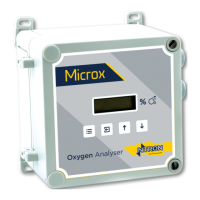
Ntron OxyTX
Operation and Installation Manual
Revised:10/2013 ECN00008
Part No.:01-507
Ntron Ltd, Mullaghboy Industrial Park, Navan, Co Meath, IRELAND
Tel: + 353 (46)9071333 • Fax: + 353 (46)9071331 •
Email: info@ntron.com • Website: www.ntron.com/ntron
Ntron Ltd, Dallam Court, Dallam Lane, Warrington WA2 7LT, UNIITED KINGDOM
Tel: + 44 (161) 930 8690 • Fax: + 44 (161) 930 8691
Display Firmware Version (Menu Mode C:7):
The firmware version is displayed as part of the start up procedure but can be viewed
without powering down the instrument via menu option C:7.
• Select menu mode C: 7 and press ENTER.
• The display will show the firmware version number.
• Press ENTER. Pressing MENU instead of ENTER aborts the feature.
• Press MENU to return the instrument to its standard mode of operation.
(Firmware can only be changed at Factory)
Restore (Menu Mode C:8):
This feature allows the instrument to be restored its factory settings.
• Select menu mode C: 8 and press ENTER.
• Use the UP button to toggle the sensor type to Elt1 (see table below).
• Press ENTER. Pressing MENU instead of ENTER aborts the feature.
• Press MENU to return the instrument to its standard mode of operation.
• Select menu mode C:8 and press ENTER.
• Use the UP button to toggle the sensor type to O2 (see table below).
• Press ENTER. Pressing MENU instead of ENTER aborts the feature.
• Press MENU to return the instrument to its standard mode of operation.
Sensor Type Range Display
O2 0-25% Vol 0.0 – 20.9
Elt1
Elt2
Elt3
Elt4
Elt5
Elt6
Elt7
Elt8
This feature will erase all the configuration settings of the dector head.
Following the use of this feature the instrument must have a full calibration
(including the 4-20mA loop).
P
AGE 12 OF 19



 To Next Page