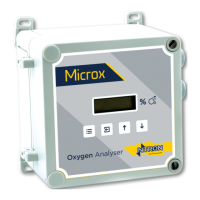
Ntron OxyTX
Operation and Installation Manual
Revised:10/2013 ECN00008
Part No.:01-507
Ntron Ltd, Mullaghboy Industrial Park, Navan, Co Meath, IRELAND
Tel: + 353 (46)9071333 • Fax: + 353 (46)9071331 •
Email: info@ntron.com • Website: www.ntron.com/ntron
Ntron Ltd, Dallam Court, Dallam Lane, Warrington WA2 7LT, UNIITED KINGDOM
Tel: + 44 (161) 930 8690 • Fax: + 44 (161) 930 8691
View Engineer/Diagnostics Data (Menu Mode C:9):
This feature is a view-only feature. No configuration changes are possible from
within this menu.
This information assists in trouble shooting fault conditions present on the OxyTx.
• Select menu mode C: 9 (refer to section 3) and press ENTER.
• The display will alternate between the current value and code C: 9x: Where is
x is: 0 Sensor reading.
1 Calibration temperature, 8C.
2 Temperature compensation value 8C.
3 Sensor temperature, 8C.
4 Detector AtoD counts.
5 Reference AtoD counts.
• The mode of operation can be selected by pressing the UP button.
• Press MENU to return the instrument to its standard mode of operation.
Cross Reference (Menu Mode C:12):
No customer adjustment of this value is necessary. The set value of “1.00” should not
be changed.
Positive Zero Suppression (Menu Mode C:19):
No customer adjustment of this value is necessary. The set value of “0” should not be
changed.
Negative Zero Suppression (Menu Mode C:20):
No customer adjustment of this value is necessary. The set value of “0” should not be
changed.
(Menu Mode C:30):
No customer adjustment of this value is necessary. The set value of “OFF” should
not be changed.
P
AGE 13 OF 19



 To Next Page