$ $
$
$ $
$
$ $
$
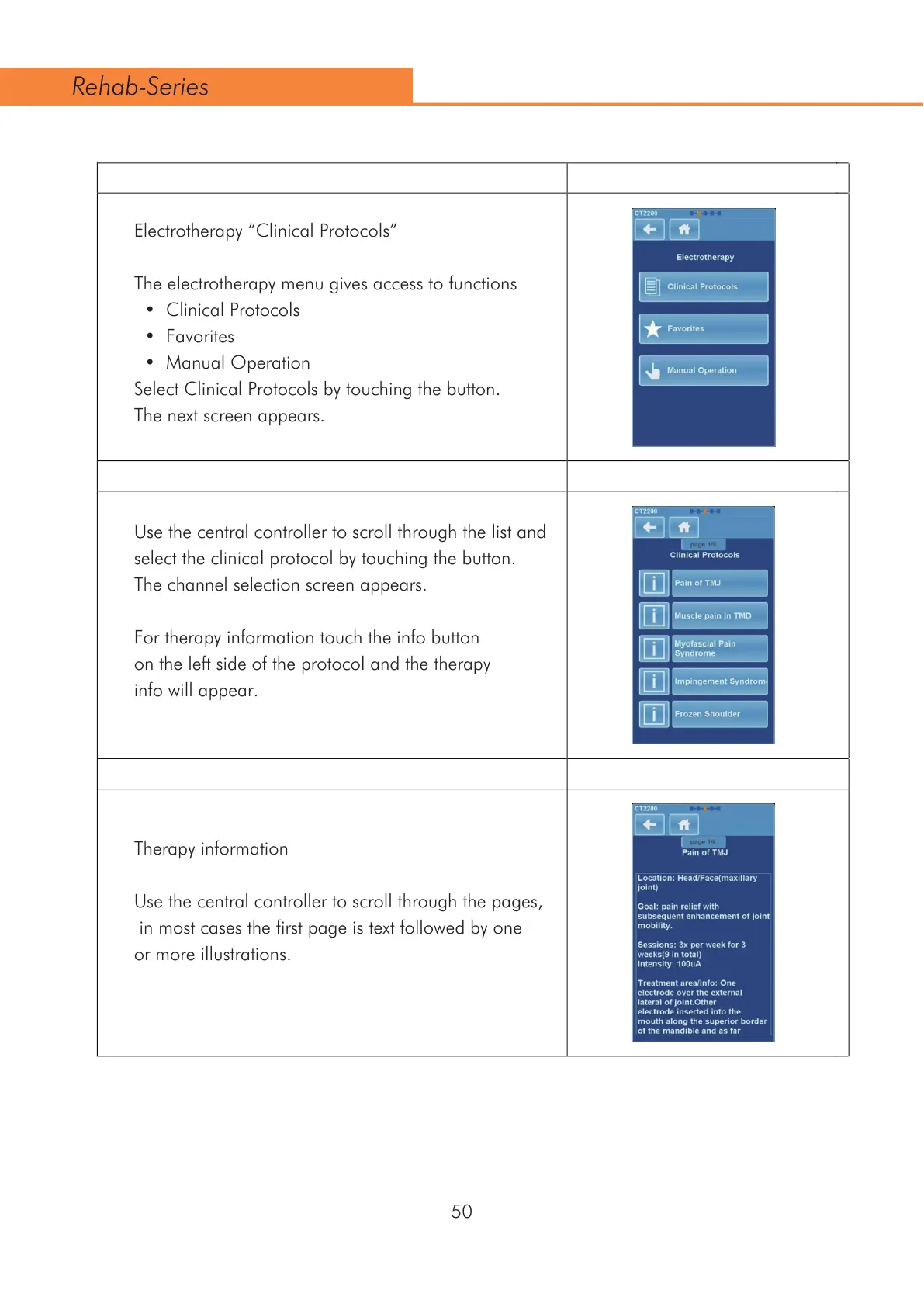
Electrotherapy “Clinical Protocols”
The electrotherapy menu gives access to functions
&OLQLFDO3URWRFROV
)DYRULWHV
0DQXDO2SHUDWLRQ
Select Clinical Protocols by touching the button.
The next screen appears.
Use the central controller to scroll through the list and
select the clinical protocol by touching the button.
The channel selection screen appears.
For therapy information touch the info button
on the left side of the protocol and the therapy
info will appear.
Therapy information
Use the central controller to scroll through the pages,
in most cases the first page is text followed by one
or more illustrations.
50
Rehab-Series



 To Next Page