$
$
$
$
$
$
$
$
$
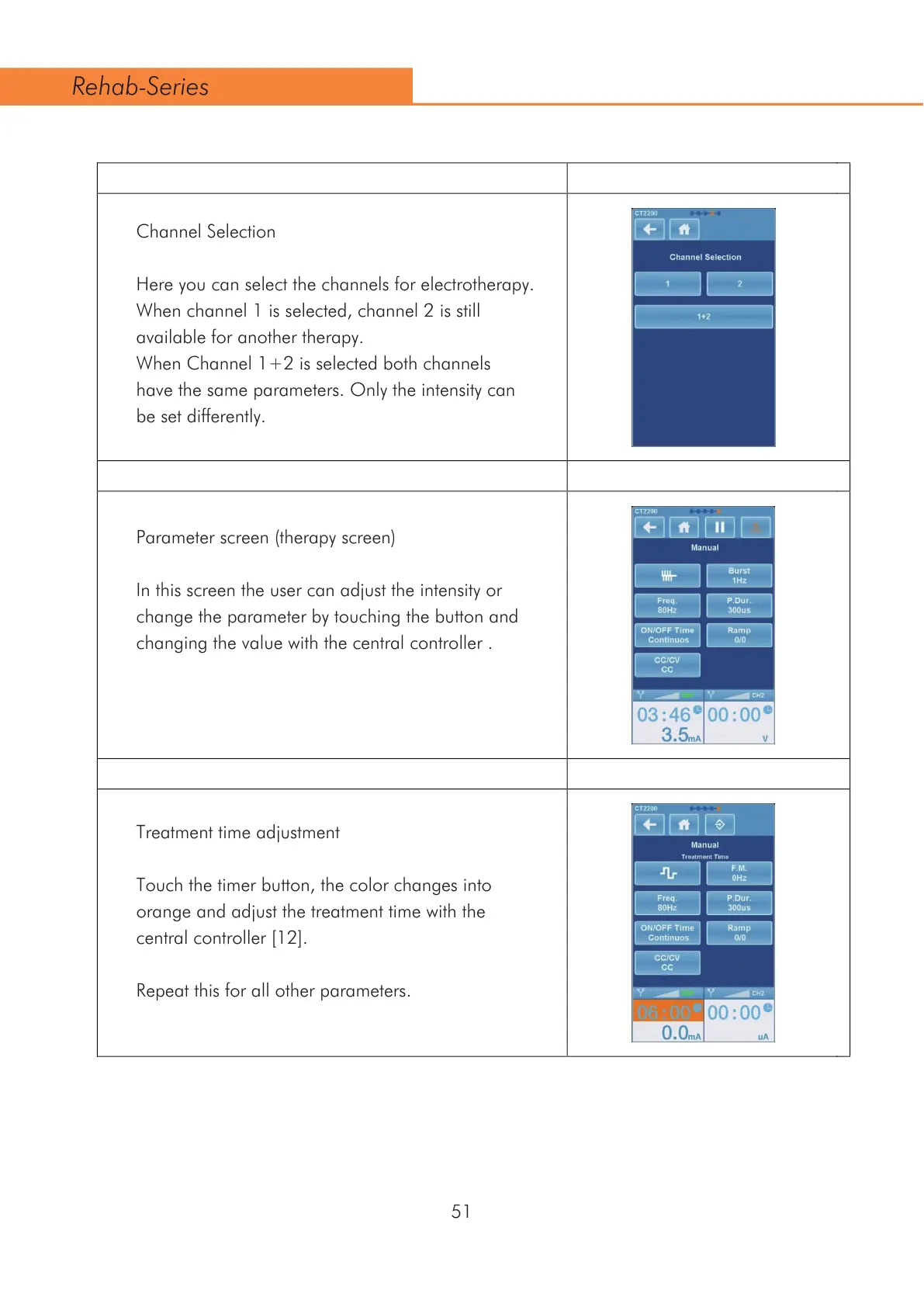
Channel Selection
Here you can select the channels for electrotherapy.
When channel 1 is selected, channel 2 is still
available for another therapy.
When Channel 1+2 is selected both channels
have the same parameters. Only the intensity can
be set differently.
Parameter screen (therapy screen)
In this screen the user can adjust the intensity or
change the parameter by touching the button and
changing the value with the central controller .
Treatment time adjustment
Touch the timer button, the color changes into
orange and adjust the treatment time with the
FHQWUDOFRQWUROOHU>@
Repeat this for all other parameters.
51
Rehab-Series



 To Next Page