05
06
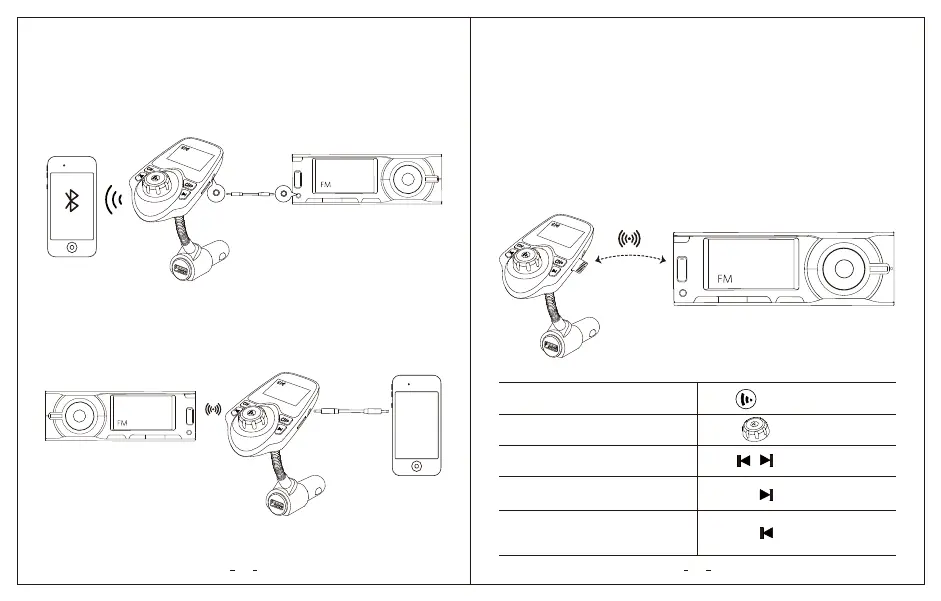
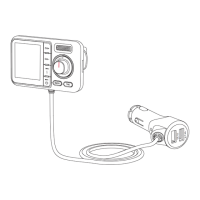
2. Connected via AUX Cable
a. AUX-output:
To further reduce echo and cabin noise on your calls and music, you may
connect the AUX cable to the AUX-Out socket of “KM18” and the AUX-in
socket of your car’s audio system. Then connect your phone and “KM18”
via Bluetooth.
b. AUX-in:
If your device doesn’t support Bluetooth, you can use the audio cable, and
connect your device to KM18 AUX port; then stream music to car stereo
speakers through FM radio.
1. Play music via Your Phone
After “KM18” is successfully connected with your smartphone, you can play
music from your phone.
2. Play music via microSD card
You can also play music by Inserting a microSD card (not provided) with
your audio files. The “KM18” will recognize and play the music automatically.
Play Music
106.8
KM18
5V/2.1A
Bluetooth KM18
iPhone 6s Plus
28 FM106.8
106.8
5V/2.1A
Bluetooth KM18
iPhone 6s Plus
28 FM106.8
106.8
5V/2.1A
Bluetooth KM18
iPhone 6s Plus
28 FM106.8
Note: The capacity of microSD card should be less than 32GB and it has to
be formatted in FAT32. Music in MP3, WMA and WMV formats are supported.
/
Play / Pause Music
Adjust Volume
Previous / Next Track
Switching audio sources (Between
your phone and microSD card)
Switching the music play mode
(Repeat All and Random) Only
available with microSD card mode
Press
Press
Long Pres
Long Pres
Rotate


 To Next Page