07
08
5V/2.1A
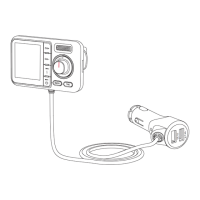
Bluetooth KM18
iPhone 6s Plus
28 FM106.8
When the “KM18” is successfully connected with your smartphone, you can
make hands-free calls.
Hands-free Calling
Press once
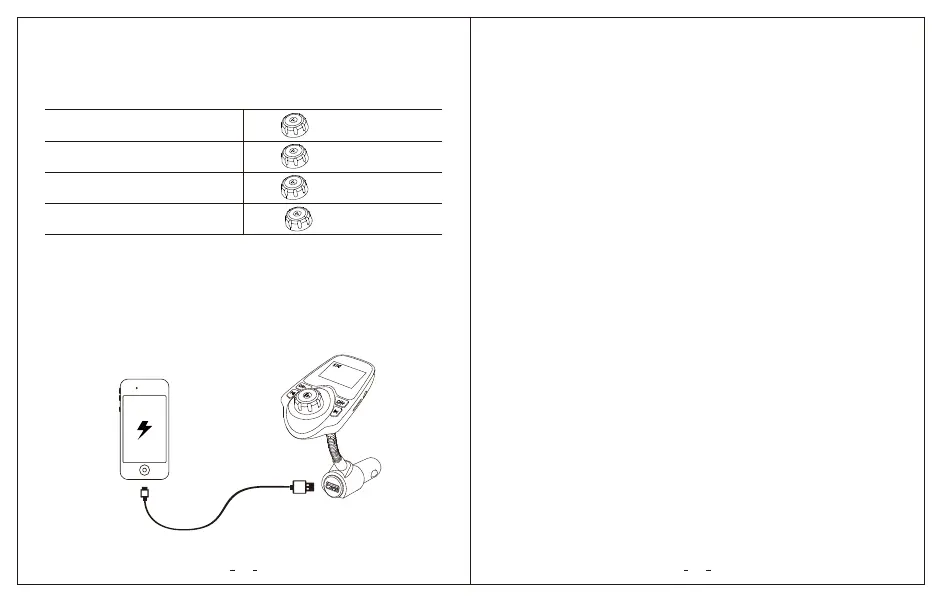
The “KM18” has a 5V/2.1A USB charging port. You can charge your device via
the USB port.
Answer / End a call
Reject a call
Redial a call
Adjust Volume
Press and hold for 2 seconds
Press twice
Rotate
1. Noise or Statics:
a. First, please confirm the FM frequency of car stereo system and FM
transmitter is exactly matched. If not, you need to readjust the FM
frequency.
b. If the audio still has too much noise or statics, please select another
radio frequency. The chosen frequency may be occupied by a radio
station or there is too much interference.
Charge Your device
Trouble Shooting
Chevrolet Malibu and some other models may not cut the power outputs
of the cigarette lighter/outlet after the engine has been switched off.
Please make sure to unplug “KM18” from the car cigarette lighter after
use to prevent your car battery from being drained.
Within 30 days of purchasing, you can register the extended 18 month
warranty for free on.
2. Bluetooth connection issues (Can’t find the Bluetooth name of the FM
Transmitter; Can’t connect the Bluetooth; Bluetooth disconnection during
working) :
a. Please try to clear your Bluetooth pairing list on your phone. If there are
too many Bluetooth records on your phone, you may not be able to find
the device name of the FM Transmitter.
b. Check the Bluetooth name of your phone. If your Bluetooth name is too
long, it may affect the Bluetooth paring with the FM Transmitter.
c. Please try to restart the FM Transmitter device and reconnect the Bluetooth.
3. If you have any problems that you can't deal with, please feel free to
contact, our service team is ready to help!
Important Notes
Register your Warranty


 To Next Page