Need help?
Do you have a question about the Numark NDX400 and is the answer not in the manual?
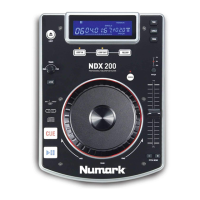
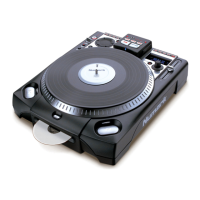
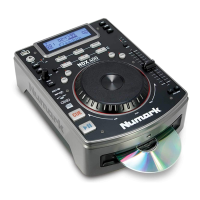
The Numark NDX 400 is a professional tabletop CD/MP3 player designed for DJs and audio enthusiasts. It offers a comprehensive set of features for playing and manipulating audio from CDs and USB drives, providing flexibility and creative control during performances.
The primary function of the NDX 400 is to play audio tracks from standard CDs, CD-Rs, CD-RWs, and MP3 CDs, as well as MP3 files stored on USB thumb drives. It allows users to switch seamlessly between CD and USB sources, indicated by an LED on the front panel. The device supports both Folder View and File View for navigating tracks on USB devices, enabling quick access to different groups of files within folders without needing to enter or exit multiple directory levels.
Core playback controls include PLAY/PAUSE, which initiates or temporarily halts playback, and CUE, which returns the track to the most recent starting point or allows for setting new cue points using the JOG WHEEL. The EJECT button is used to remove CDs from the tray, though it has no effect if a CD is currently playing.
For advanced track manipulation, the NDX 400 features a JOG WHEEL that serves multiple purposes depending on its current mode. When a track is paused, the JOG WHEEL allows for slow searching through frames to set precise cue points. During playback, it can temporarily bend the pitch of the track, speeding it up or slowing it down for beat-matching. When SCRATCH mode is active, rotating the JOG WHEEL creates a "scratch" effect, mimicking a turntable. In SEARCH mode, the JOG WHEEL enables rapid scanning through the music. The "stutter cue" feature, activated by touching the sides of the JOG WHEEL while paused, allows for repeated playback of the current frame, aiding in precise cueing.
The device also includes a REVERSE button for playing tracks backward and a BRAKE button that simulates the stopping effect of a turntable motor when pausing, with adjustable braking time.
The NDX 400 offers extensive features for live performance and track preparation. The TRACK KNOB is central to track selection, allowing users to scroll through track listings and skip 10 tracks at a time by pressing and turning the knob.
Hot Cues are a key performance feature, allowing users to record up to three hot cue points at specific locations in a track by pressing REC and then one of the HOT CUE buttons. These points can be recalled instantly to jump to specific sections of a song.
Looping capabilities are robust, with LOOP IN and LOOP OUT buttons for setting the start and end points of a loop, and a RELOOP button to immediately play a track from the beginning of a loop.
The PROGRAM function enables users to create a sequence of tracks for continuous playback. Tracks can be added to the program using the TRACK KNOB and PROG/REC buttons, and the program can be viewed, played, or deleted.
The SINGLE button toggles between Auto-Cue mode (playback stops at the end of each track) and Continuous Play mode (tracks play one after another without interruption). Holding this button down allows for adjustment of remote start settings, which integrate with a compatible mixer's crossfader or an external switch/pedal. Remote start options include CUE/PLAY (crossfader movement starts/stops playback from the cue point), TACT (momentary switch starts/pauses playback), and LOCK (holding switch down pauses, releasing resumes).
Pitch control is highly flexible. The PITCH FADER adjusts the overall pitch of the music, with adjustable ranges of ±4%, 8%, 16%, or 100%, indicated by LEDs and the LCD. PITCH BEND buttons allow for temporary pitch adjustments of up to ±4%. The MASTER TEMPO feature locks the musical key of the track while allowing tempo adjustments, preserving the original key. BPM can be entered manually using the TAP button or automatically detected by holding TAP for 2 seconds.
The TIME button switches the display between elapsed playing time, remaining time on the track, and total remaining time for the entire CD. Holding TIME down allows users to scroll through ID3 tags (Title, Album, Artist) for MP3 files.
The LCD provides comprehensive visual feedback on all active functions, including playback status (PLAY/PAUSE, CUE), source (CD/USB), track/folder number, total tracks/folders, time (minutes, seconds, frames), time mode, play mode (Auto-Cue/Continuous Play), reloop status, BPM, pitch percentage, master tempo status, program status, and text display for folder/file names.
While the manual does not explicitly detail maintenance features, it provides crucial guidelines for proper device operation and longevity. Users are instructed to read the Safety & Warranty Information Booklet before use.
For optimal performance and to prevent issues, it is recommended to burn CDs at the minimum speed possible, as some homemade CDs may not play properly due to variances in specifications.
Proper power management is emphasized: all devices should be turned off, and faders and gain knobs set to "zero" before connecting audio sources and power. The NDX 400 should be powered on before amplifiers and powered off after amplifiers. When turning the system on, the sequence is input sources, then the mixer, then amplifiers/output devices. When turning off, the sequence is reversed: amplifiers, then mixer, then input devices. The VOLTAGE SELECTOR on the rear panel must be set to the correct voltage for the user's location.
Registering the product online at http://www.numark.com is encouraged to ensure users receive updates on product developments and access world-class technical support, which can help resolve any operational problems.
 General
| USB Compatibility | Yes |
|---|---|
| Jog Wheel | Yes |
| Looping | Yes |
| Display | LCD |
| Type | CD Player |
| Playback Formats | MP3, CD, CD-R, CD-RW |
| Disc Compatibility | CD, CD-R, CD-RW |
| Pitch Control | ±8%, ±16% |
| Outputs | RCA |
| Hot Cues | 3 |

 To Next Page