Product Setup
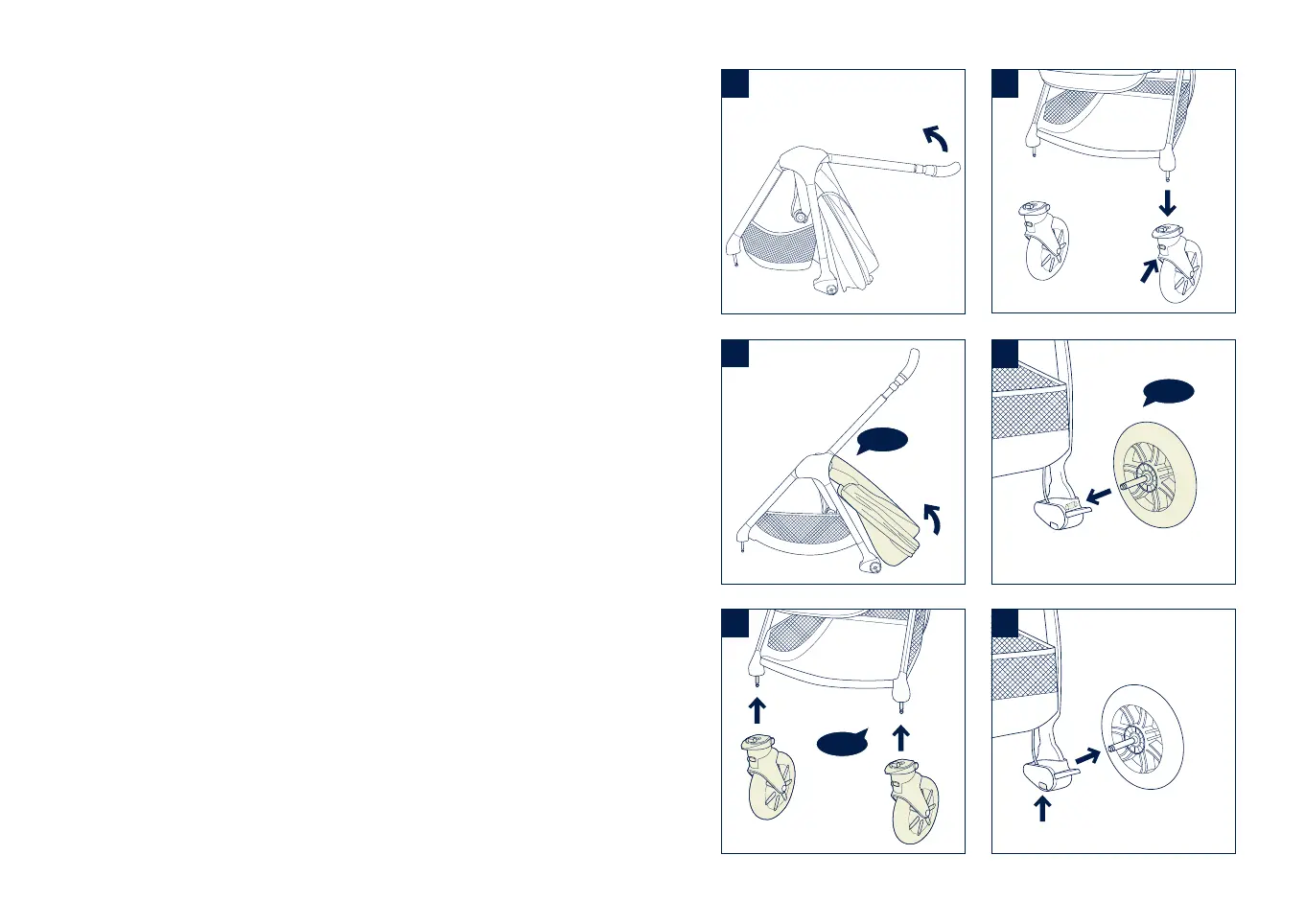
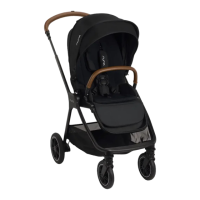
Open Stroller
1 - Lift the handle to open the stroller frame.
2 - Pull the seat up towards the handle.
A “click” sound means the seat is open.
Check that the stroller is open completely and locked
before continuing.
Front Wheels
3 - Slide the front wheel onto the end of the front leg.
A “click” sound means the front wheel is assembled
completely.
Check that the wheel is securely attached by pulling out.
Repeat on opposite side.
4 - To remove the front wheel, press the release button (1)
and detach the front wheel from the front leg (2).
Rear Wheels
5 - Insert the rear wheel into the rear leg. A “click” sound
means the rear wheel is assembled completely.
Check that the wheel is securely attached by pulling out.
Repeat on opposite side.
6 - To remove the rear wheel, press the release button (1)
and detach the rear wheel from the rear leg (2).
click
click
10
TRIV
™
instructions
11
TRIV
™
instructions
2
1
1
2
4
3
6
click
2
1
5



 To Next Page