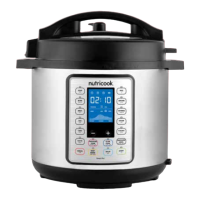
Smart features.
Use Delay button to set delay time before the cooking cycle begins.
Note: The Delay function is not applicable for Sauté and Yogurt
programs.
1. Select any of the Pressure Cooking Programs or Slow Cook.
2. Adjust the settings of the selected cooking program, as desired.
3. Press Delay. Once it is selected, the indicator light illuminates.
Screen displays 06:00 as the default Delay time.
Note: After pressing Delay, you cannot go back to adjust the
settings of the selected cooking program. To make adjustments on
the cooking program, press CANCEL and enter the new settings.
4. By default, the Hour field on the screen flashes when Delay is
pressed.
• To adjust Delay time in hours, use either – or + button.
• To make adjustment on the Minute field, press Delay again
then use either – or + button. Minute field flashes when it is
selected.
Delay Time Range: 10 minutes – 24 hours
Hour: Adjustable by 1 hour
Minute: Adjustable by 10 minutes
Note: Press Delay button repeatedly to switch between Hour and
Minute field on the screen.
5. Once Delay time is set, press START or wait for 10 seconds for the
cooker to automatically start.
6. The Delay time will countdown until 00:00 then the selected
cooking program starts.
Note: When the selected cooking program starts, display shows
On (for all Pressure Cooking Programs). For Slow Cook, the
cooking time immediately counts down.
Sound On/O
Sound On: When cooker is on standby mode, press + button to turn on beep
sound.
Sound O: When cooker is on standby mode, press – button to turn o beep
sound.
Note: Beep sound for all the cooker’s safety features cannot be turned o.
Delay timer.
During program selection except for Sauté and Yogurt, the Keep
Warm indicator light automatically illuminates. This indicates that the
cooking program will go to Auto Keep Warm mode immediately after
the cooking time is completed.
If you do not wish to activate the Auto Keep Warm feature after the
cooking cycle, press Keep Warm button to turn it o, anytime during
program selection or during cooking process. The indicator light goes
o to indicate that it is inactive.
Note:
• If Auto Keep Warm is active after the cooking cycle, screen
displays the Keep Warm time counting up from 00:00. Press
CANCEL any time to stop the Auto Keep Warm mode.
Auto Keep Warm Time Range: 0 minute to 10 hours.
The Keep Warm function can be used to reheat foods under Low,
Med, High temperature levels. To activate, press Keep Warm button
when the cooker is on standby mode. Press repeatedly to cycle
through Low, Med, High and adjust the time using - or + button, as
desired.
Press START to begin Keep Warm time. Display shows the time
counting up from 00:00 until the time set. After Keep Warm time is
completed, screen displays End.
Keep Warm Time Adjustments: 10 minutes to 99 hours and 50
minutes.
Auto keep warm.
Adjustable keep warm function.
The cooker has a built-in safety feature that prevents all functions
from activating if the Lid is not properly locked/secured into place.
The display will show Lid and continuously beeps until the lid is
properly closed. No program selection can be made. This is to prevent
the cooking without the lid properly secured. The Sauté program must
be used without the lid.
Lid safety lock system.
3332


 To Next Page
 Loading...