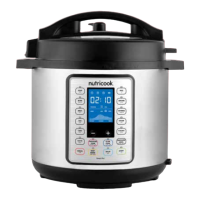
Smart Cooking Programs
Table.
Cooking
Programs
Cooking Mode
Default Cooking
Time
Adjustable
Time Range
Time Adjustment
Default
Pressure Level
(adjustable)
Minute (+/-)
Pressure Cooking Programs
Soup
Low 0:20
00:01 - 04:00 1 minute HighMed 0:30
High 4:00
Meat
Low 0:20
00:01 - 04:00 1 minute HighMed 0:35
High 0:45
Bean
Low 0:25
00:01 - 04:00 1 minute HighMed 0:30
High 0:40
Egg
Low 0:03
00:01 - 04:00 1 minute HighMed 0:05
High 0:08
Cake
Low 0:25
00:01 - 04:00 1 minute HighMed 0:40
High 0:50
Rice
Low 0:09
Not adjustable - LowMed 0:12
High 0:15
Biryani
Low 0:05
00:01 - 04:00 1 minute HighMed 0:10
High 0:20
Oatmeal
Low 0:03
00:01 - 04:00 1 minute HighMed 0:04
High 0:07
Steam
Low 0:03
00:01 - 04:00 1 minute HighMed 0:10
High 0:15
Pressure Cook
Low
0:10 00:01 - 04:00 1 minute HighMed
High
Non-Pressure Cooking Programs
Slow Cook
Low 4:00
00:10 - 20:00 10 minutes n/aMed 4:00
High 4:00
Sauté
Low 0:10
00:01 - 00:30 1 minute n/aMed 0:10
High 0:10
Yogur t
Low 24:00
00:10 - 99:30 10 minutes
n/aMed 08:00
High boil Not adjustable -
Note:
• For Pressure Cooking Programs, Low, Med, High refer to preset time.
• For Non-pressure Cooking Programs, Low, Med, High refer to temperature level.
• During program selection, default mode will be Med.
Initial test run.
In order to familiarize yourself with the Smart Pot and start cooking
with your favourite recipe, it is highly recommended for first time users
to do a test run. This optional but recommended test run will complete
in about 15 minutes.
1. Open and remove lid.
2. Remove the inner pot from the cooker base.
3. Add 3 cups (750 ml) water to the inner pot.
4. Place the inner pot into the cooker base.
WARNING: Ensure that the outside surface especially the
bottom part of the inner pot is completely dry before placing in
the cooker base.
5. Place the pressure cooking lid in the cooker base rim and lock in
properly.
6. Turn the pressure release valve to Sealing position.
7. Plug in cooker to a power outlet.
8. Select Pressure Cook.
9. Adjust the time to 00:05 minutes using the - button. Optionally,
press Keep Warm to turn off Auto Keep Warm function.
10. Press START to begin initial test run.
Note:
• If START is not pressed after program settings, the cooker
automatically starts after 10 seconds.
11. Once cooker starts, the screen displays On.
12. When maximum pressure level is reached, float valve pops out
and screen displays the countdown time.
13. When the time has been completed and Keep Warm function is
3736


 To Next Page
 Loading...