4 5
Setting Up Your Device
Follow these step-by-step instructions to set up your A5X.
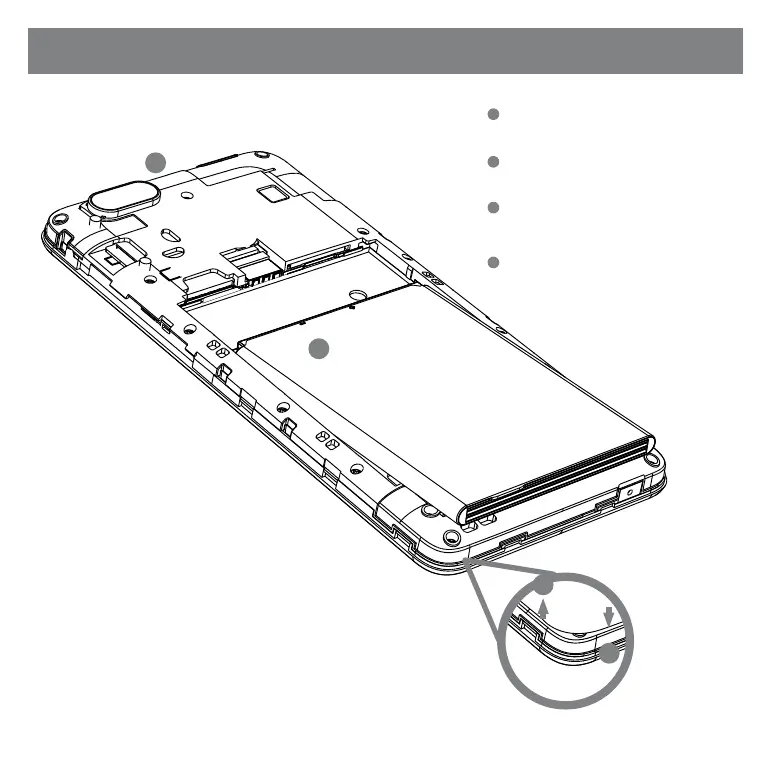
Remove Back Cover
•
Remove the back cover by prying the lower left corner
of your device.
Insert the Battery
•
Align the battery contacts, then insert the battery
contact-first.
Replace Back Cover
• After installing the battery, align the cover and snap it
closed. Be sure to press all around the edges to ensure
a secure fit.
Charge
• Plug in the microUSB connector to charge the device.
1
1
3
3
2
2
4
4
# SIM slots functions are disabled. The device does not support telephony function.
Battery


 To Next Page