15
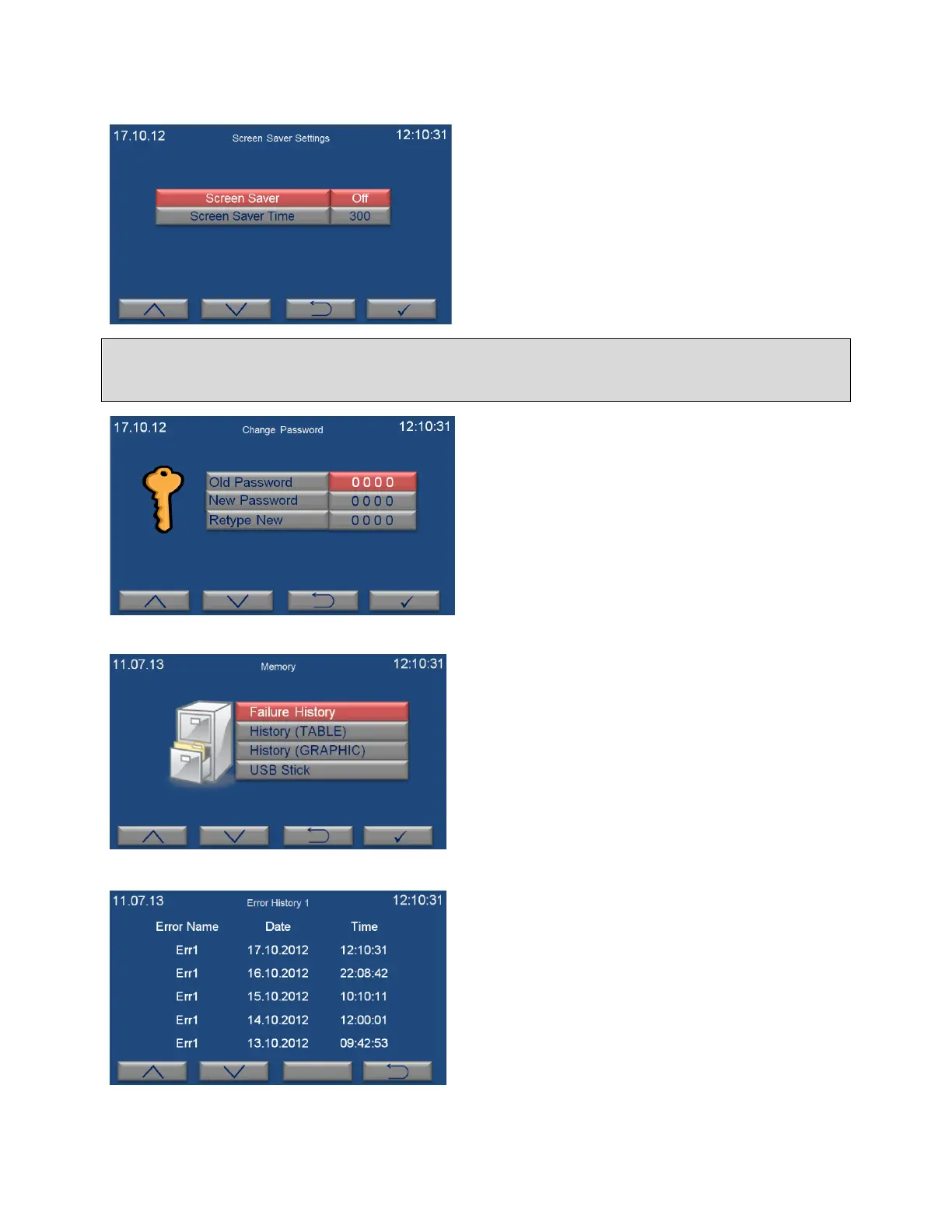
“Screen Saver Settings” submenu is selected on
the settings page by using the value increase (F1)
and decrease (F2) keys. The page on the left
appears when enter key (F4) is pushed. Screen
saver can be on or off by pushing the value
increase (F1) and decrease (F2). If the option of
“open” is selected, activation time of screen
saver is adjusted on screen saver time in
minutes. If you want to exit this page without
any change, push the backspace key (F3).
It is suggested to use Screen Saver as ON for energy saving.
“Change Password” submenu is selected on the
settings page by the value increase (F1) and
decrease (F2) keys. The page on the left appears
when enter key (F4) is pushed. After old
password value is entered by pushing the value
increase and decrease keys, push the enter key.
New password value can be entered in the “New
Password” and “Retype New” sections. If you
want to exit this page without any change, push
the backspace key (F3).
6.1.3. MEMORY
“Memory” submenu is selected on the menu
page by the value increase (F1) and decrease (F2)
keys. The page on the left appears when enter
key (F4) is pushed.
6.1.3.1. INTERNAL MEMORY
“Failure History” submenu is selected on the
memory page by the value increase (F1) and
decrease (F2) keys. The page on the left appears
when enter key (F4) is pushed. The last 50
failures can be followed on this page. There are
10 pages in total for error history and 5 failures
are listed on each page. Failures are listed from
the current date to the earlier. Push the value
increase (F1) and decrease (F2) keys to pass the
other page.


 To Next Page