2
DIN Rail Player Amplifier LED Indicator Light Explanations
LED Color State of Light Explanation
Not Lit Power is off.
Solid White Connected to the network and in normal operation.
Flashing White Processor is busy; light should return to solid white.
Solid Red Hard failure. There is no network communication.
Flashing Red No network is identified.
Solid Green Uninitialized state. Light changes to solid white once it is connected.
Flashing Green
Busy uninitialzed state. This is normal during the setup process and during updates. The LED will turn white at the
completion of the setup. Do not unplug during this process. At the completion of the update, it will return to solid white.
Solid Blue Muted. When taken out of mute, it will return to solid white.
Flashing Blue Bluetooth discovery mode.
The P600 DIN Rail Player and the P601 DIN Rail Power Supply are specifically designed for mounting to any standard 35 mm DIN rail.
The P600 offers built-in access to networked audio content, internet radio, and streaming services for any single zone in your home. Use
the Nuvo Player app for iOS and Android mobile devices for instant control, or select in-wall keypads and touch screen options to provide
a convenient fixed-location control point should your app be out-of-hand. The P601 includes enough power for up to four Nuvo DIN Rail
Players allowing the Nuvo Player Portfolio system to be flexible and scalable when providing powerful high-fidelity audio in your home.
INSTALLATION
Notes:
• These instructions assume all necessary DIN rails are currently installed within the enclosure. The P600 and P601 mount to a standard
35 mm DIN rail. A standard, narrow residential enclosure is 18 M, which will fit up to four (4) P600s (3 M each) and one (1) P601 (6 M).
• Power cables are not included. For cable sizing, refer to "Cable Size Requirements" on page 4.
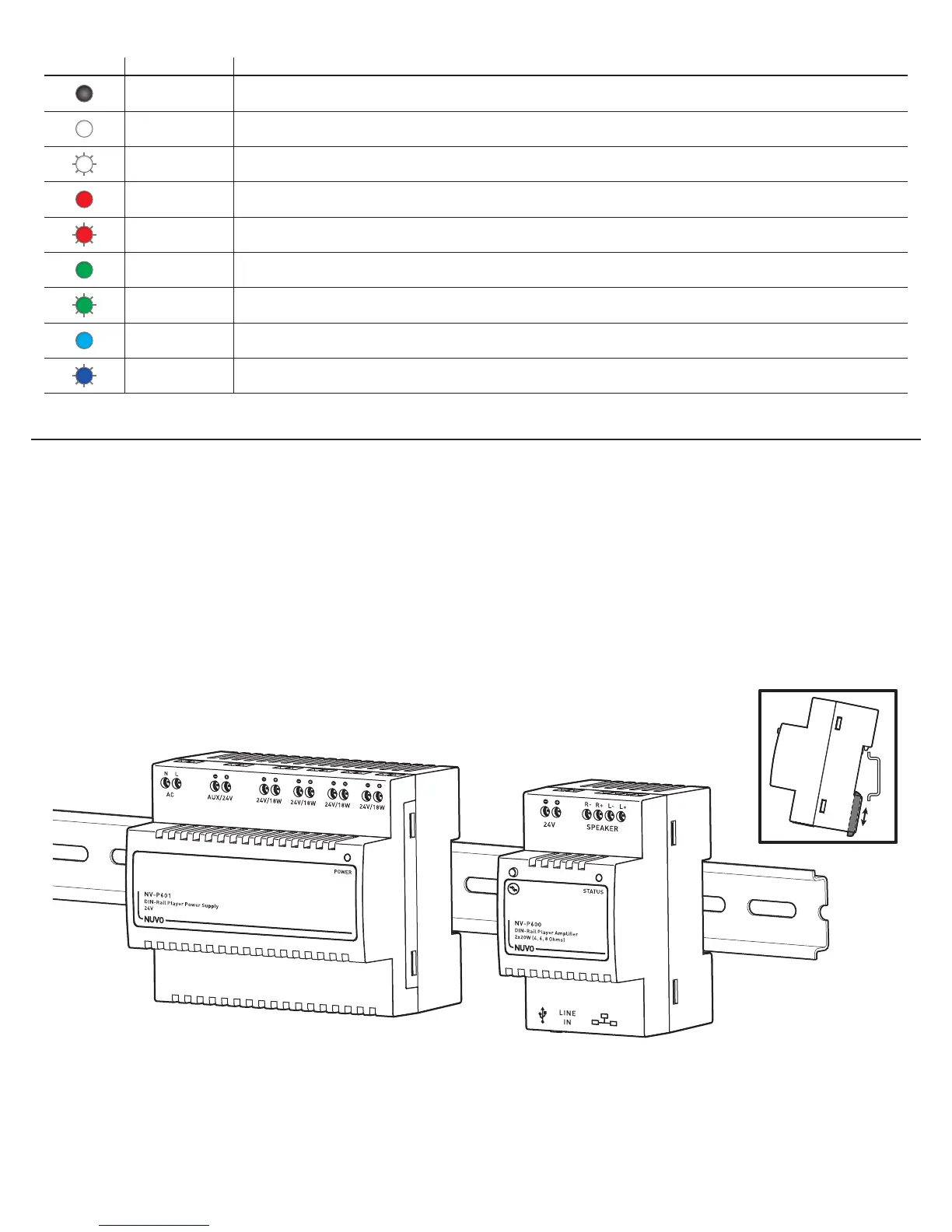
Fig. 2
STEP 1: Turn off the main power supply to the DIN rail enclosure.
STEP 2: Clip the power supply onto the DIN rail. (Fig. 2)
STEP 3: Clip the amplifier(s) onto the DIN rail. (Fig. 2)
Note: For the best possible operation and ease of wiring, mount the amplifier(s) next to the power supply, on the same DIN rail.



 To Next Page