16 | OxyPure Zero E1000
• Dry thoroughly, away from direct sunlight, in a room with a strong breeze or a fan
to blow air through the lter. Remember: The Bio-Guard Filter carries an 8,000V
charge when it is operating, so it MUST be completely dry inside and out before it
is reinstalled into the OxyPure.
The Ozone Emissions Removal Filter (Filter 3)
To Clean the Ozone Emission Removal Filters
1. Remove the lters. If possible, take them outside to clean.
2. Gently, but thoroughly, clean the lters using a brush-tipped vacuum.
3. Repeat the process on the other side. DO NOT GET WET.
Notes:
• DO NOT get the Ozone Emissions Removal Filter wet.
• Take this lter outside if at all possible.
• Clean with a brush-equipped vacuum.
• Marks on the lter media are normal and expected. They have no effect on the
lter’s functionality.
CLEANING & MAINTENANCE
FILTER CLEANING PROCEDURES • TROUBLESHOOTING GUIDE
The OxyPure does not turn on.
1. The plug is not in the wall outlet. Plug it into the wall outlet.
2. POWER on the touch pad panel is not on. Press POWER.
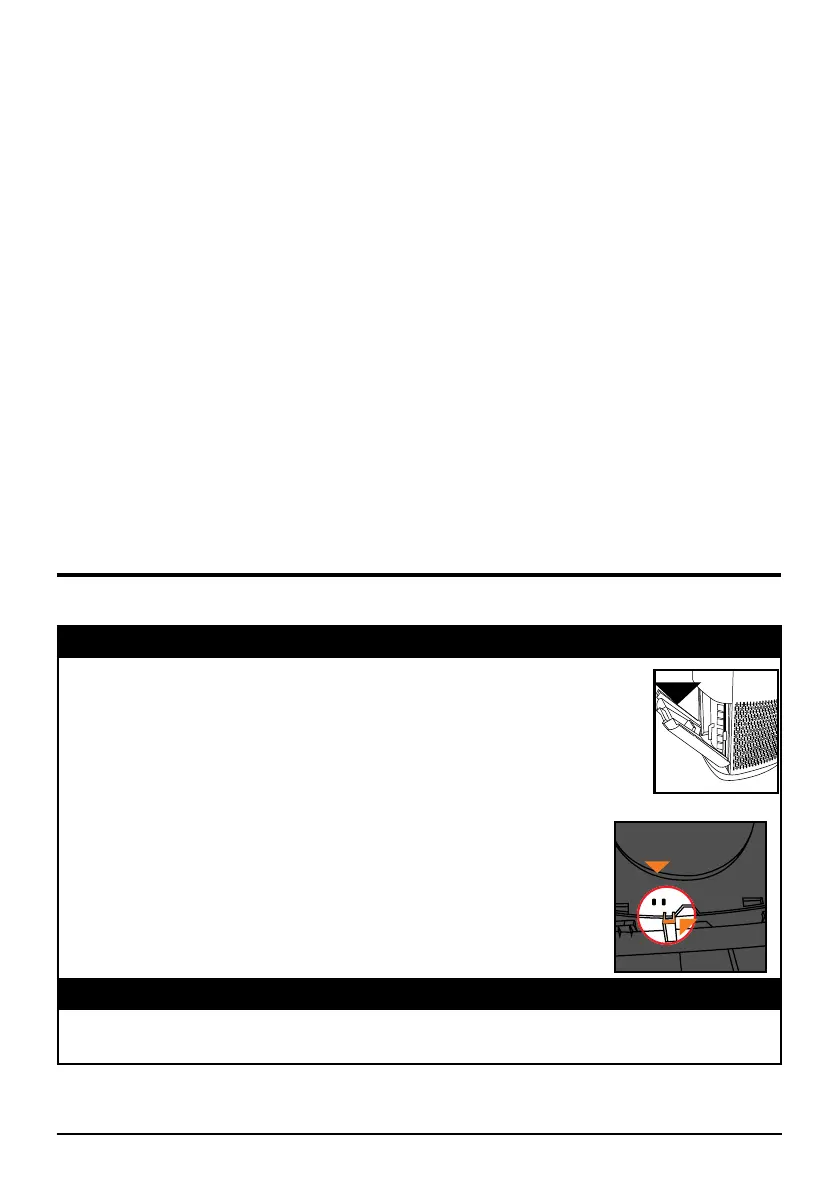
3. The Filter Access Panel in the back is off or loose. Make sure the
Filter Access Panel is on securely.
4. If you are unable to close the Filter Access Panel for any reason,
the OxyPure will not operate and you will need to contact
NuWave Customer Service. Exercise caution to ensure the
tabs are not damaged when securing the Filter Access
Panel.
TIMER does not work when pressed.
The OxyPure is not reading the function selected. Press FAN SPEED or AUTO, then
press TIMER.
Tab
Sensor
TROUBLESHOOTING GUIDE










 To Next Page